# Cargo Load Operations - External

{% hint style="warning" %}

* **Beware of sling load limitations** - must fly at maximum 120kts and avoid violent maneuvers when carrying external loads.
* External Cargo dropping and loading are currently incompatible with our carrier products. We are actively looking for solutions to this issue.
  {% endhint %}

### Loading Procedure

The [electronic-flight-bag-efb](https://docs.miltechsimulations.com/miltech-simulations-ch47d/aircraft-and-systems/electronic-flight-bag-efb "mention") is used to load and unload internal cargo to the aircraft.&#x20;

1. Turn on the EFB screen by pressing the **HOME** Button
2. Navigate to the **LOAD** page
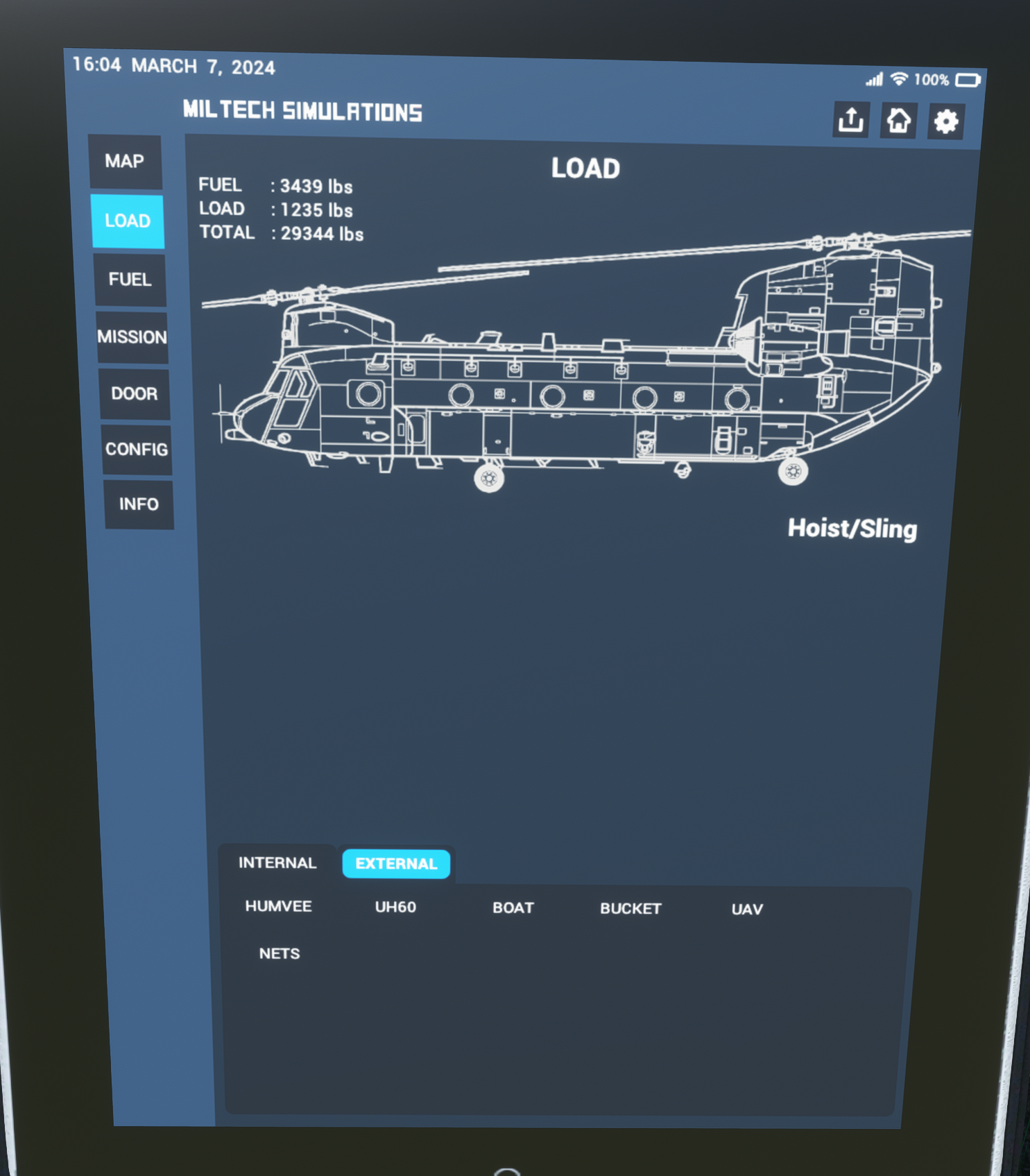
3. Select "External Loads"

<figure><img src="https://1335574643-files.gitbook.io/~/files/v0/b/gitbook-x-prod.appspot.com/o/spaces%2FU34X0omCjZJSDMQclhSX%2Fuploads%2Fb0JIawy4GTuaLtPkIjL6%2Fimage.png?alt=media&#x26;token=eae55560-315b-457e-95ae-1860c78a0e5f" alt="" width="375"><figcaption><p>Loads Page</p></figcaption></figure>

4. Load/Unload cargo by pressing on the available options.&#x20;
   1. A single cargo load type (External or Internal) can be active at any given moment.
   2. Selecting a different load type will unload the active option, and load the selected option.
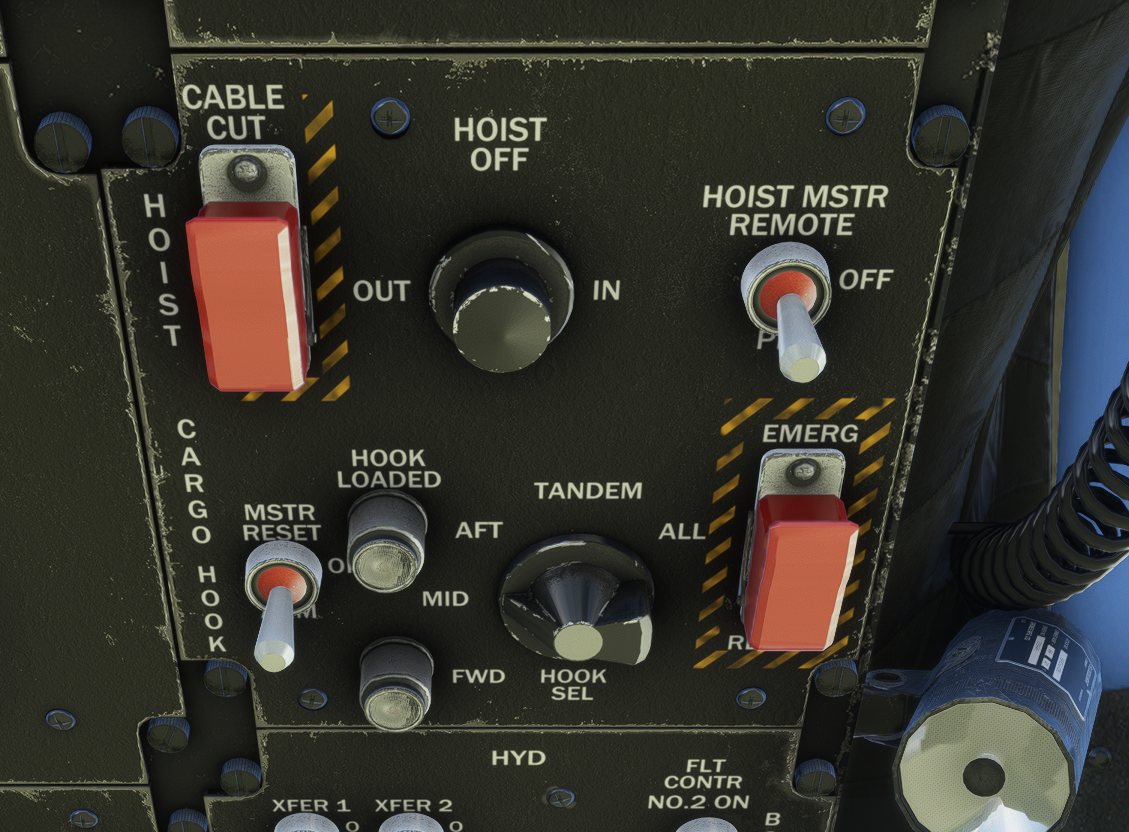
5. **Select the correct Sling Mode on the overhead panel.** Sling mode depends on the type of load (Tandem or Mid).&#x20;
   1. The tablet will display a blinking red error message if the sling mode is not configured correctly.&#x20;
   2. If not configured correctly, the aircraft won't be able to pick up loads.

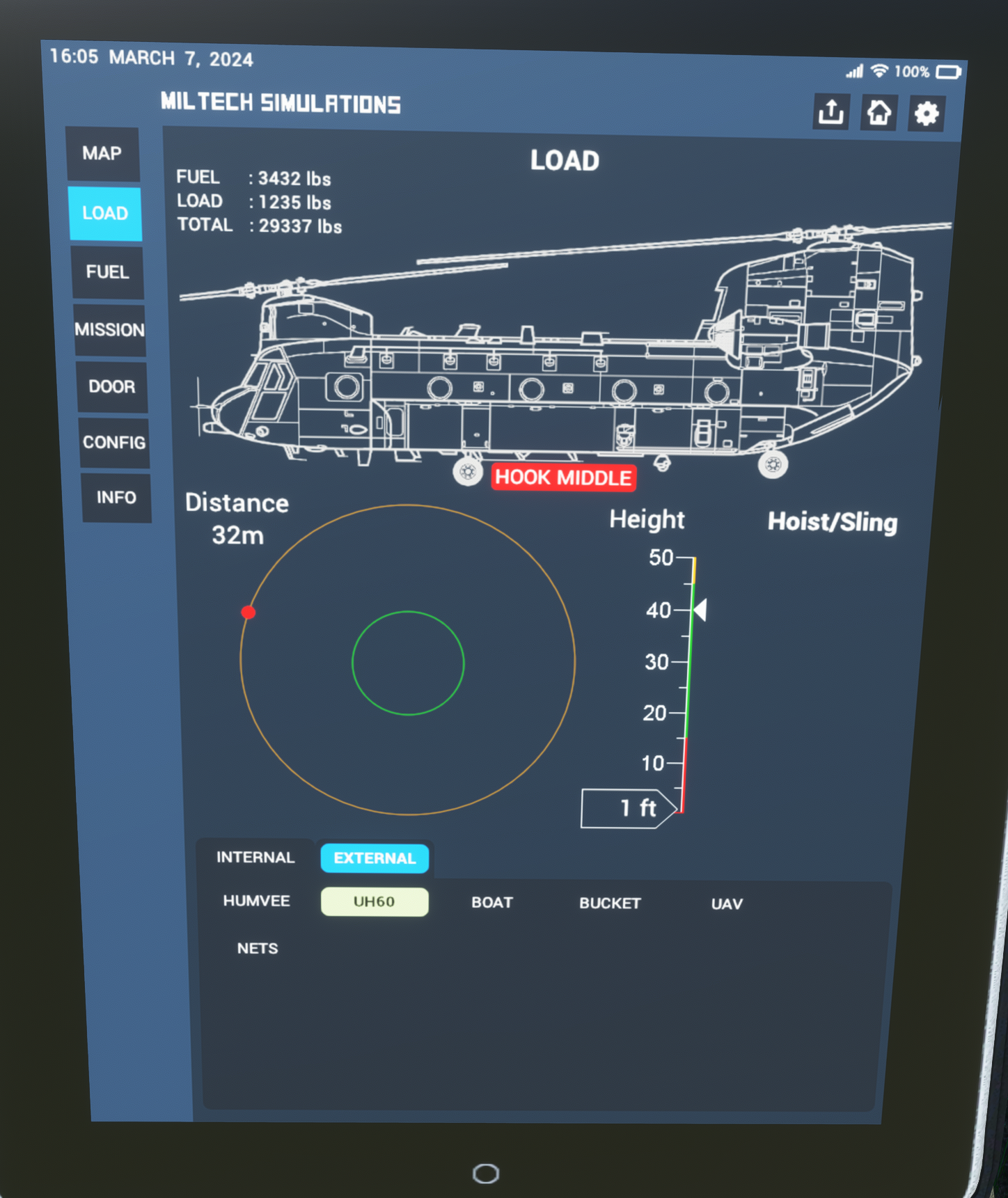
<figure><img src="https://1335574643-files.gitbook.io/~/files/v0/b/gitbook-x-prod.appspot.com/o/spaces%2FU34X0omCjZJSDMQclhSX%2Fuploads%2FJZ6aRFYOg8aCrUi5UJ6I%2Fimage.png?alt=media&#x26;token=303bc1c2-9718-4da9-bbb1-d97303b7d0c4" alt="" width="375"><figcaption><p>UH60 Load Selected. Note Red Blinking message to "Set Hook Mode to MIDDLE"</p></figcaption></figure>

<figure><img src="https://1335574643-files.gitbook.io/~/files/v0/b/gitbook-x-prod.appspot.com/o/spaces%2FU34X0omCjZJSDMQclhSX%2Fuploads%2FWRjsWJhDwheDsDf3xP6n%2Fimage.png?alt=media&#x26;token=b67e8601-5265-448b-aea3-353cd3345c1c" alt="" width="375"><figcaption><p>Overhead Panel - CARGO HOOK Panel. Note HOOK MODE SEL is set to MID</p></figcaption></figure>

6. **The selected object will spawn near the aircraft - usually at 9 o'clock.** Takeoff and establish a hover.
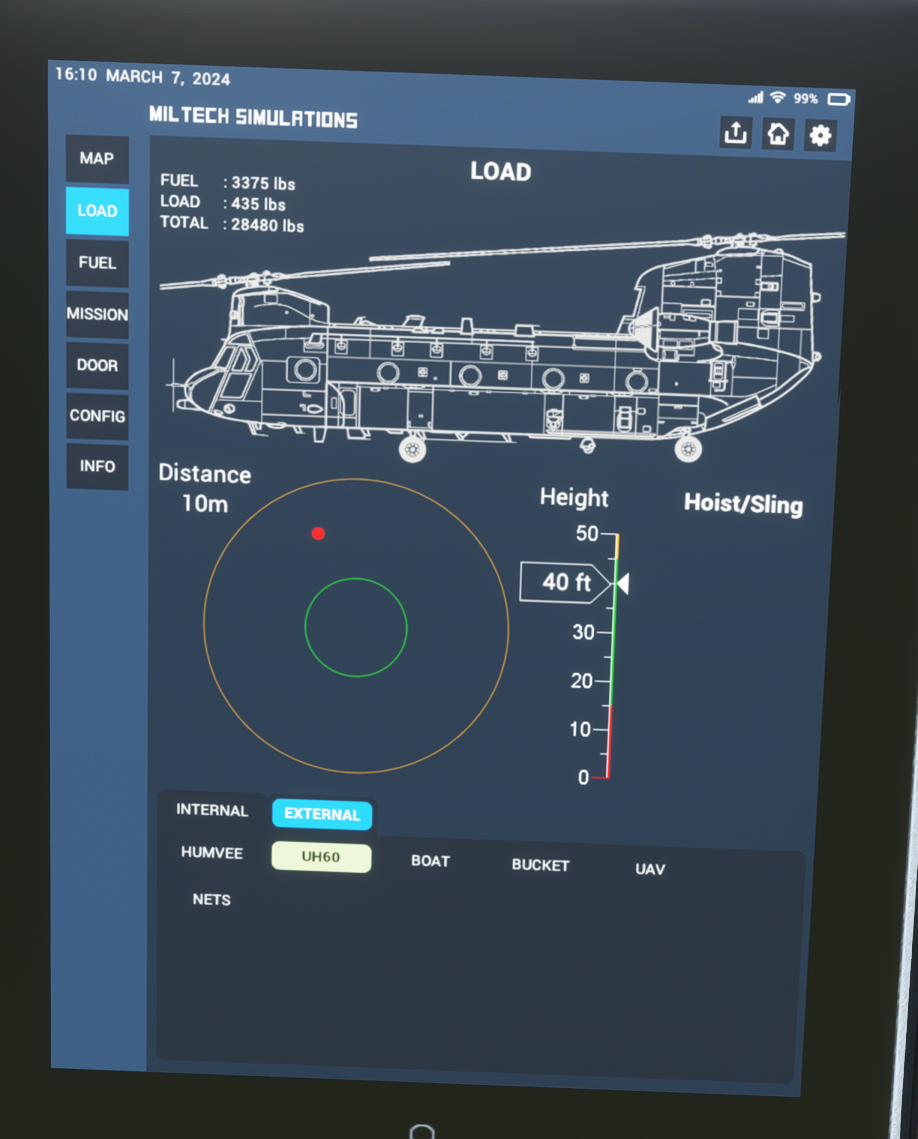
7. Use the Tablet Radar to slowly approach the object:
   1. Sustain a controlled hover. Altitude must be **at or slightly above the target altitude as indicated on the tablet.**
   2. Approach the object slowly.&#x20;
   3. **Object (Red Dot) must be within the area marked by the green circle.** Keep altitude as close to the target as possible.
   4. Sustain hover for a few seconds while the cargo is loaded.
   5. Upon confirmation that cargo has been successfully loaded, apply collective and increase altitude.&#x20;

<figure><img src="https://1335574643-files.gitbook.io/~/files/v0/b/gitbook-x-prod.appspot.com/o/spaces%2FU34X0omCjZJSDMQclhSX%2Fuploads%2FLOrn9g1HG3B3OsVrycKf%2Fimage.png?alt=media&#x26;token=f67be9c9-cfbf-414c-9b38-337a81471ab7" alt="" width="375"><figcaption><p>Tablet Radar - Note the horizontal radar (Left side), with RED Dot representing the position of the object. Height radar on the left, with the target set at 40ft. </p></figcaption></figure>

8. **Cargo will be automatically dropped upon crossing below 50ft.**&#x20;
9. **The cargo sling may break in high G/violent maneuvers/overspeed.**&#x20;
10. **Dropped cargo can be picked up again. However, you must increase the altitude >100ft before dropped cargo is available for pickup again.**

### Included External Loads

* **\[TANDEM] UAV Container**
* **\[MID] Blackhawk Helicopter Fuselage**
* **\[MID] Cargo Nets**
* **\[TANDEM] Large Rhib**
* **\[TANDEM] Humvee**
* **\[MID] Water Bucket**

{% hint style="info" %}
Water can be manually deployed using `TOGGLE WATER RUDDER`
{% endhint %}