 DOCUMENTATION
Primary Flight Display (PFD)
This page contains all the basic instrumentation necessary to fly the U-2S. Select it with B1 FLT then T1 PFD.
Example PFD
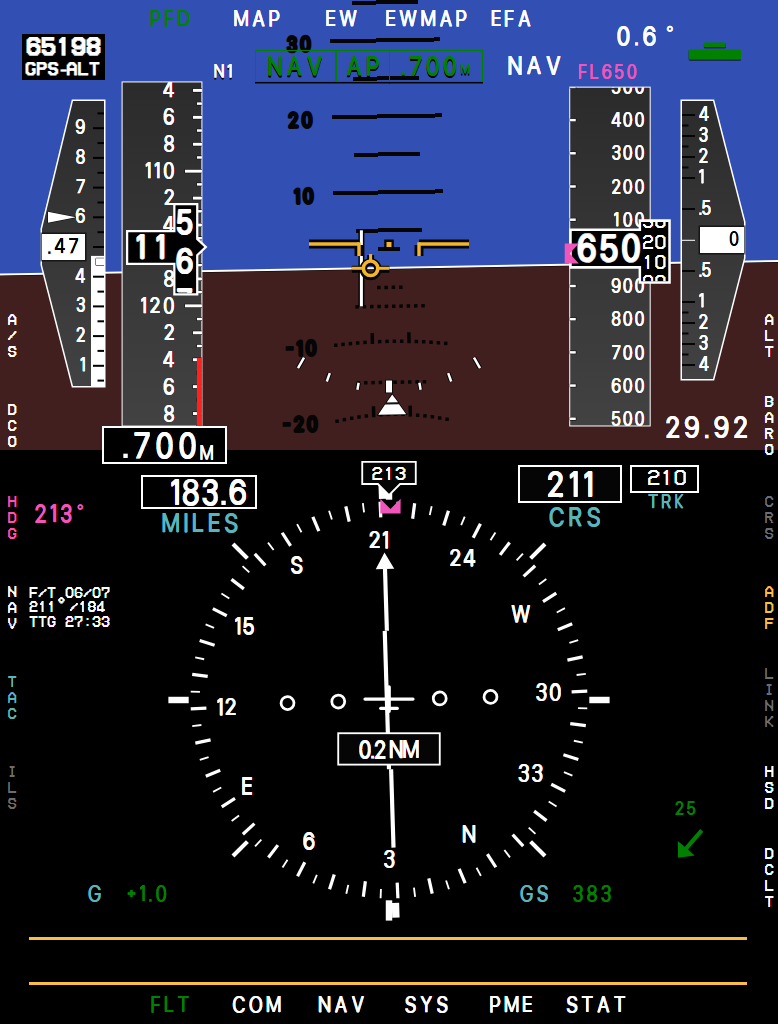
- AOA Gauge: Normalized angle of attack (1.00 = stall) with digital readout. White tick at .45 = best range, white triangle at .60 = max endurance. See Angle of Attack (AOA).
- Airspeed Tape (Knots): Reads 30 to 275 kt. Below 30 kt the readout shows dashes and the tape rests at zero; it jumps to 30 when the airspeed comes alive. The red bar marks your current maximum speed. The digits turn red when you exceed it. With the EFB option Stall speed tape on, a yellow bar runs up to the stall speed for your weight, flaps, lift spoilers and g, in free air: right over the runway the ground effect lets the wing fly several knots below it.
With the ASARS-2 nose a big sideslip at low speed makes it read low (the SFD too), and the AOA high.
- Mach Number
- Pitch Reference Symbol and Artificial Horizon: With pitch ladder. When the horizon leaves the display, a dashed "ghost horizon" stays at the edge to show which way is up.
- Flight Path Marker (FPM): Shows where the aircraft is actually going, not where the nose points. Requires the INS in NAV.
- Bank Scale and Roll Pointer
- Altitude Tape (Feet): The readout shows thousands in large digits. On the tape the 1,000s and 10,000s digits are larger than the three digits after them. Above 45,000 ft a GPS-ALT readout appears top left.
- Vertical Velocity Indicator (x1000 ft/min)
- Altimeter Setting
- Steering Source: The source you selected with L4-L6 / R4, in its color: NAV, TAC, ILS (magenta) or ADF (green). With overfly selected it reads OFLY instead. To its right is the pitch trim. The flap symbol sits in the top-left corner with the flap angle: with GUST CONTROL UP it reads -7 (the flaps are 6.25° up), and while the flaps run between faired and the gust position it shows whole degrees, -1 to -6; above 45,000 ft with the flaps up the GPS-ALT readout takes its place.
The trim readout is in degrees, nose-up positive, and a tab grows above the bar for nose-up trim and below it for nose-down. The stabilizer travels from 3.5° nose-up to 1.5° nose-down. With the autopilot flying pitch the trim may run past these stops; the readout stops at 3.8° and -1.8°.
- Heading Readout (Magnetic)
- MILES: Distance to the steer-to destination point (NAV) or TACAN station, in tenths up to 999.9 NM. Shows ---- when there is nothing to measure to.
- CRS: Selected course, 001 to 360 (north reads 360, never 000). TRK next to it is your ground track.
- NAV Block: Steering mode and DP numbers, bearing/range and time to go to the steer point. Hidden while the INS is not in NAV.
- TACAN Data: Bearing/DME to the tuned station.
- Cross-Track Deviation: How far you are off the course line. During a direct steer it is measured from the planned turn and line to the DP (see Navigation System).
- Wind: Arrow relative to the nose, and speed, shown while the flight path marker is. During an in-flight alignment it is replaced by AQ (alignment quality, counting down from 300). About 80 seconds into the alignment (sooner with a shorter EFB alignment time) a magenta CHG HDG 45° appears below it: a heading change of about 45° helps the alignment, and the cue goes out once you have turned 40° or more. The turn is optional - the alignment finishes on time either way.
- G Meter
- Ground Speed
The letters at the top left of the attitude display (N1 in the picture) are advisories. First comes the INS status letter - see Inertial Navigation System (INS). Then the GPS mode digit, the same mode the NAV/DATA page shows (7 = free inertial, without GPS updating).
An O follows while overfly or an orbit adjustment is armed. 21 seconds before a turn point, and before the last DP of the file, the L or N flashes, and the O flashes once the point has been overflown. When the autopilot is engaged, a green AP box with the active mode appears at the top of the attitude display.
Red ALT box: Each time the AVP comes up after being switched on, the altitude tape is blank with a red ALT box and the advisory RESET BARO (not when a flight starts with the avionics already running). Set the altimeter (R2 BARO, or the SFD knob) and the tape appears.
Red ADI flag: Without INS attitude the horizon is blank with a red ADI flag and the compass rose loses its numbers. Fly on the Standby Flight Display until the INS is aligned.
The other red flags on the attitude display appear only for a real failure, and only with the steering source that uses them: TAC at 9 o'clock (TAC selected and the TACAN failed or switched off on the audio panel, or no INS attitude), GS at 3 o'clock (ILS selected and the ILS receiver failed) and CRS at 12 o'clock (NAV selected with a failed INS, or ILS selected with a failed ILS receiver).
Without valid air data the speed and altitude go blank too. With the air data unit unpowered (it is on DC ESS SEC, so ESS DC SHED takes it) the airspeed tape shows a red IAS box, the Mach window is empty and the altitude tape shows the red ALT box, with IAS FAIL and ALT FAIL.
A pitot iced up with PITOT HEAT off takes the airspeed and Mach only. The overspeed and altitude alerts worked out from them stay quiet meanwhile. Fly on the SFD.
Example MFD pfd
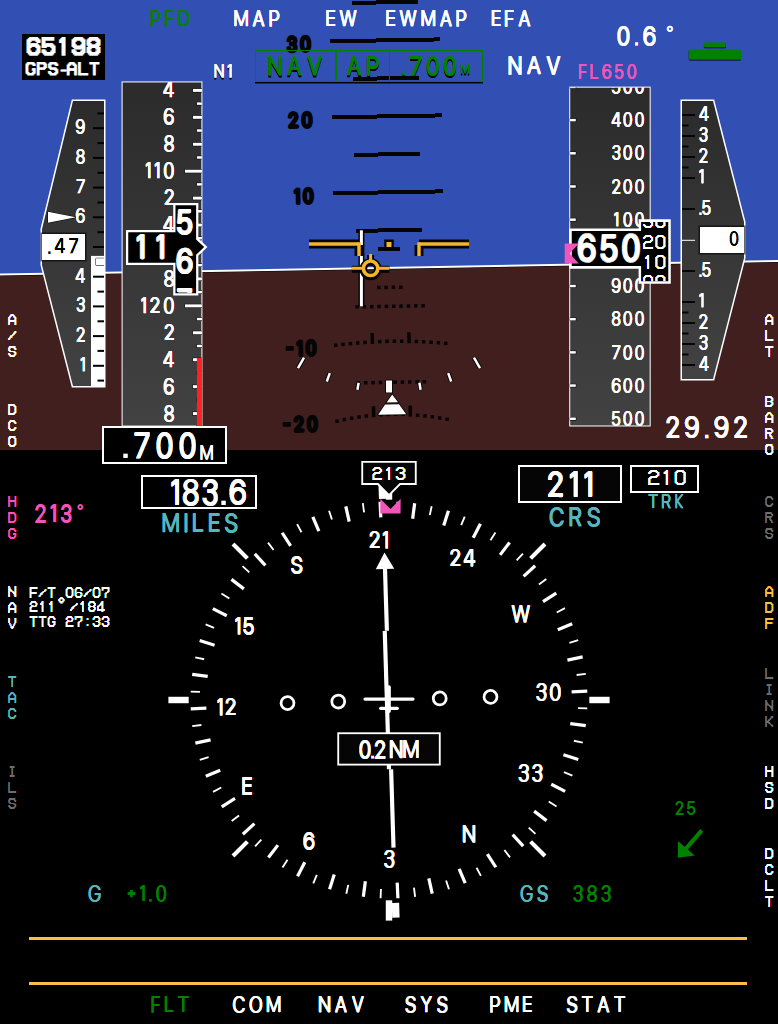
- AOA
- Airspeed
- Mach
- Autopilot modes
- Altitude
- Altimeter setting
- Heading
- MILES
- CRS
- NAV block
Soft Keys
| Key | Legend | Function |
|---|---|---|
| L1 | A/S | Airspeed bug (65-300 kt). Inside, L2 / L3 switch the airspeed (ALIM) and Mach (MLIM) limit monitors on - they give AIRSPEED DEVIATION / MACH DEVIATION when you stay outside the speed window for more than 5 seconds in flight (never on the ground). |
| L2 | DCO | Drift cut-out: centers the FPM laterally in a crosswind. |
| L3 | HDG | Heading marker (the autopilot heading). Double-press to sync it to your present heading. |
| L4 L5 L6 R4 | NAV TAC ILS ADF | Select the steering source. ILS is gray until a localizer is tuned. ADF is green while the ADF is switched on and yellow (not selectable) while it is off. You tune the ADF yourself - COM/CNI page, ADF row, or the BCDU ADF page; see Communication Pages. With a station received you get a green bearing pointer and the relative bearing next to the ADF legend; with none the bearing reads --- and the advisory ADF SIGNAL comes on. ADF steering has no flight director bars. |
| L7 | ACK | Acknowledge alert. |
| R1 | ALT | Altitude bug (100 ft steps) - your reminder altitude. You get APPROACHING SET ALT 1,000 ft before it, and ALTITUDE DEVIATION if you later drift more than 200 ft off. (The autopilot's ALT mode holds the altitude at the moment you press ALT, not this bug. With ALT on, a second press of R1 closes the field and sends the bug to the autopilot as its new altitude.) |
| R2 | BARO | Altimeter setting. While open: R1 sets standard (29.92), R3 ALRT sets the transition-level reminder, R4 switches inHg / hPa, on all three MFDs; the SFD then shows its own setting in hPa as well. |
| R3 | CRS | Course for TACAN / ILS / ADF; each source remembers its own course. With TACAN, double-press for "direct to the station". With ILS the course is set to the localizer course once each time you tune a new ILS frequency - you can change it afterwards. Gray with NAV selected (the course is computed for you). |
| R5 | LINK | INOP |
| R6 | HSD | Puts the moving map under the HSI on this display, at the map scale all three MFDs share (see MAP). The compass rose then shows only the 150° arc ahead, and the bearing pointers stay on it: the head shows within 75° of the nose, the tail when the bearing is more than 105° off the nose. The MILES, CRS and TRK boxes keep their black background over the map. |
| R7 | DCLT | Declutter, green while on: removes the flight director bars, the airspeed and altitude bug fields (the bugs stay on the tapes) and the bearing pointers of the sources not selected. While it is on, the first press of L4 NAV, L5 TAC or R4 ADF brings that source's pointer back instead of selecting it (a second press selects it), and a new bug value brings its field back; the legend then turns white. R7 again ends it. |
After each change to the airspeed bug, the limit monitors, the heading marker or the altitude bug, the number shows black on white for 3 seconds, and goes back at once when the field is deselected. A selected field closes after 15 seconds untouched; typing on the UFCD pad counts as touching it.
Your sim keys and hardware set the same selections: the heading bug keys move the heading marker, the course keys the course of the TAC, ILS or ADF source (with NAV selected they do nothing), the autopilot altitude keys the altitude bug and the autopilot speed keys the airspeed bug. With ALT or MACH engaged these keys also change what the autopilot holds - see AFCS System.
Flight Director
The flight director bars are steering commands, color-coded by source: white NAV, cyan TACAN, magenta ILS. Fly so that the bars cross on the FPM. The horizontal (pitch) bar only appears with ILS, when both the localizer and the glideslope are received. ADF steering has no flight director.