 DOCUMENTATION
ASARS-2 Radar
The imaging radar in the nose: what it is on the real aircraft, what it does in the simulator and where you operate it.
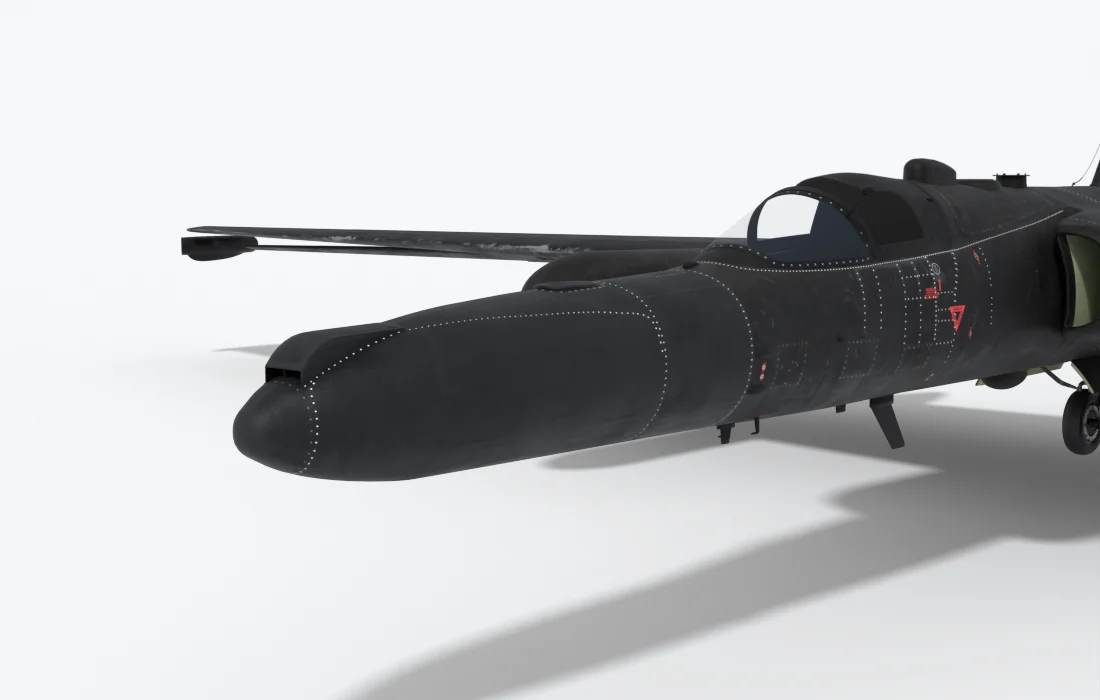
On the real aircraft. ASARS-2, the Advanced Synthetic Aperture Radar System, is an imaging radar. It uses the aircraft's own forward motion to act like an antenna far longer than the one it carries, which gives it photo-like detail from very far away.
A radar brings its own illumination, so it works day and night and through cloud. It has wide search modes and small high-resolution spot modes, and the real one also finds vehicles moving on the ground.
In the simulator. The RDR page builds its picture from real terrain elevation and land cover. Darkness, cloud and rain make no difference to it. There is no moving-target mode, and aircraft in the air are not shown.
| Item | In short |
|---|---|
| Fit | EFB Aircraft tab, Nose: ASARS-2, 1,000 lb. |
| Start | MK IV MODE to STBY starts the warm-up. MODE 1-5 is PWR, and it radiates once airborne, so you can set it on the ground. MK IV MASTER only powers its SSA recorder. See Starting and Stopping the Camera. |
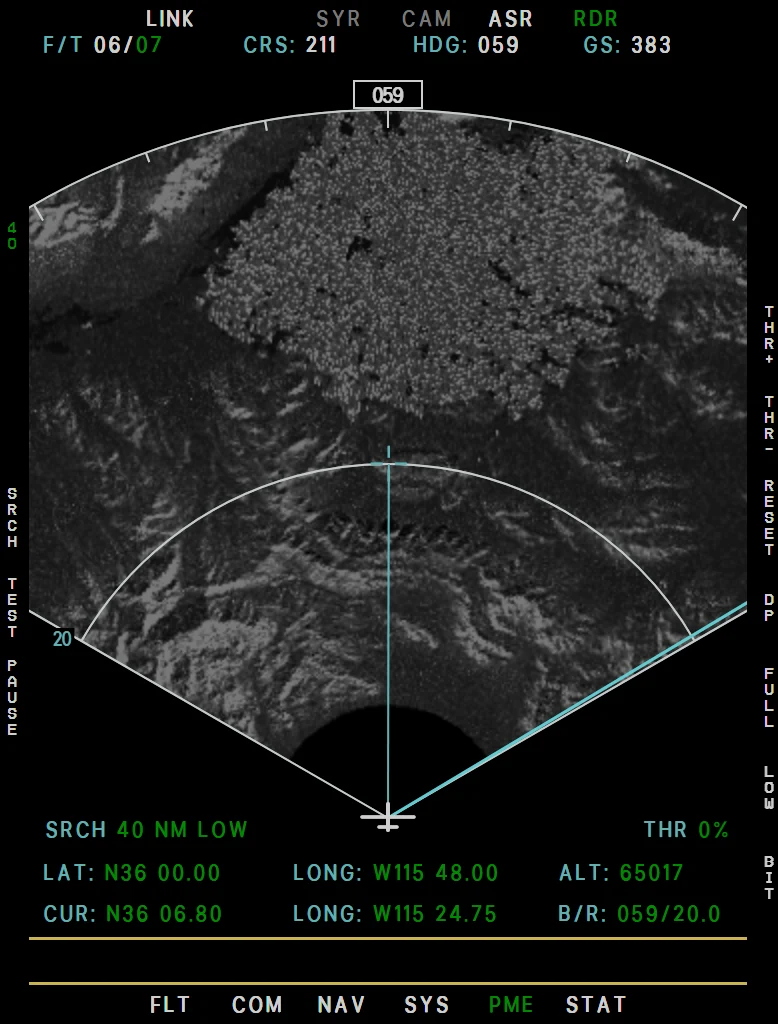
| SRCH | A ±60° fan ahead of the aircraft, out to 320 NM. The finer the resolution, the shorter the reach. |
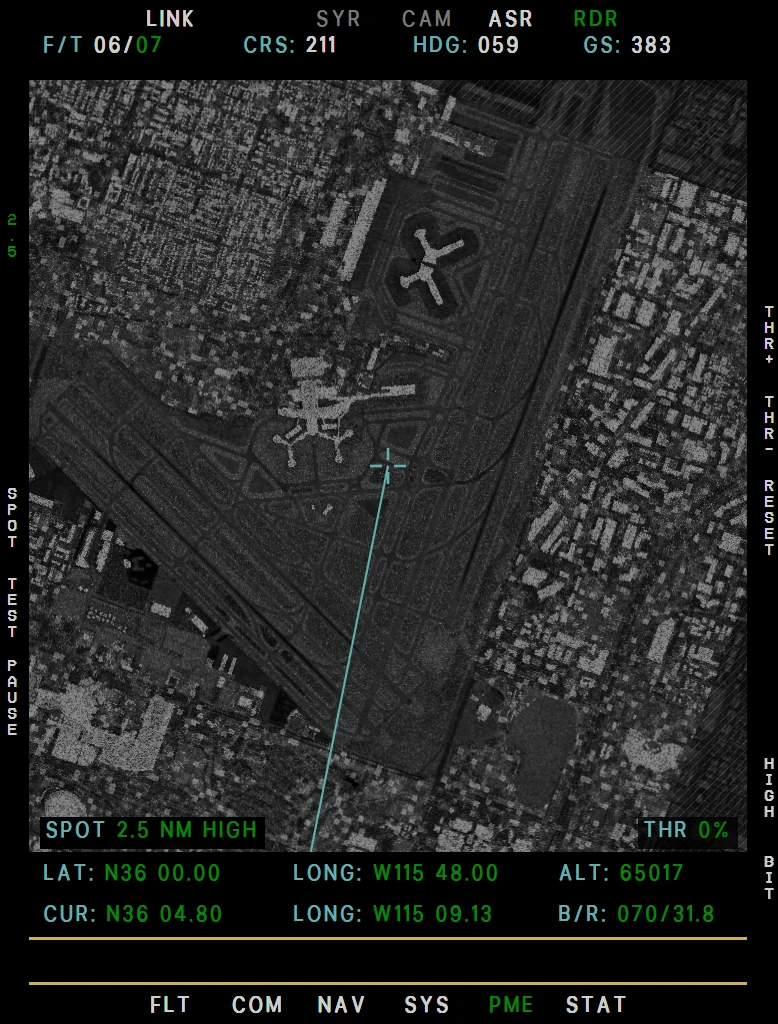
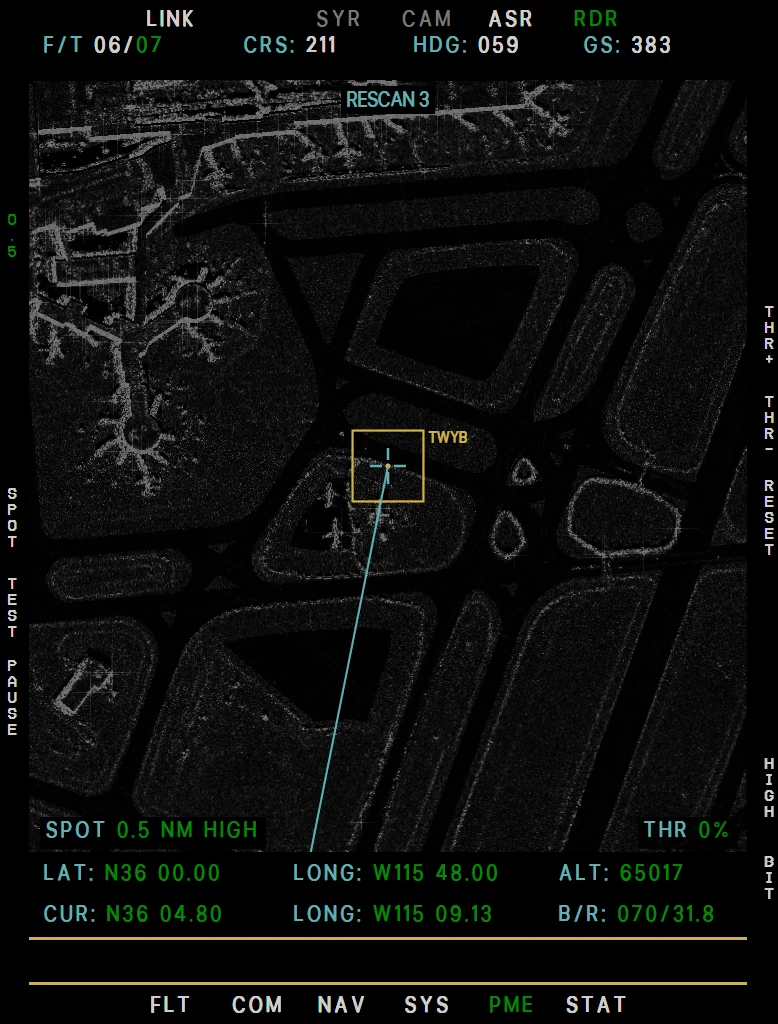
| SPOT | A patch from 40 NM down to 0.1 NM across, imaged in 3 to 30 seconds and again about every 15 seconds. |
| Aiming | The viewsight hand control is the cursor in SRCH and moves the patch in SPOT. |
| Limits | No map below 5,000 ft above the ground. Past 20° of bank or 10° of pitch the page shows GIMBAL LIMIT and takes no picture; back inside, the last picture is on the scope again. |
Example RDR SRCH
Example RDR SPOT
Example RDR SPOT close
How to Operate
- On the EFB Aircraft tab, set Nose to ASARS-2.
- Set MK IV MODE to STBY. The warm-up starts: 30 seconds, or 12 minutes with the EFB option Sensor warm-up time on Realistic. MK IV MASTER is not necessary for the radar.
- On an MFD press B5 PME, then RDR.
- Set MK IV MODE to 1 - 5 (PWR). You can do this on the ground: the radar radiates once airborne. It makes a map from 5,000 ft above the ground.
- In L3 SRCH, move the cursor with the viewsight hand control: left and right is the bearing (up to 60°), forward and aft is the range. R6 sets the resolution, R5 the part of the fan.
- Press L3 for SPOT: a high-resolution patch around the cursor. The page counts down IMAGING (3 to 30 seconds), then takes the patch again about every 15 seconds. The hand control moves the patch.
- Keep within 20° of bank and 10° of pitch, or the page shows GIMBAL LIMIT.
- To stop, set MK IV MODE to OFF. The next start warms up again.
Mark IV Panel
The radar needs only MK IV MODE and the hand control. Every other control on the panel is for the cameras. The panel itself: Mark IV Camera Panel.
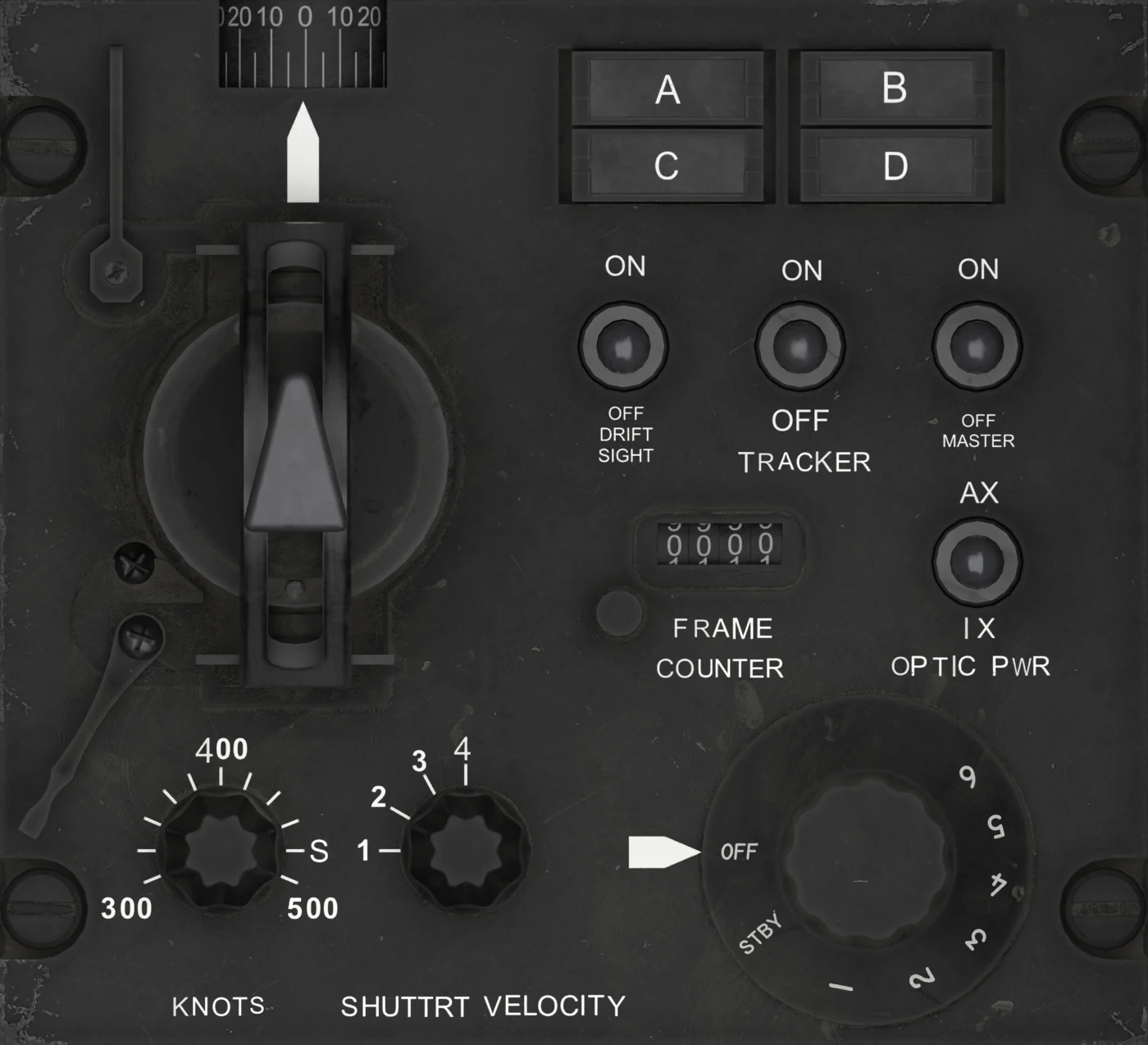
| No. | Control | With the ASARS-2 |
|---|---|---|
| 1 | OBLIQUE ANGLE INDICATOR | Follows the hand control left and right. |
| 2 | VIEWSIGHT HAND CONTROL | The radar cursor. SRCH: left and right is the bearing, forward and aft the range. SPOT: moves the patch. Set condition lever puts the cursor straight ahead at half range. |
| 3 | DRIFTSIGHT | No function |
| 4 | TRACKER | No function |
| 5 | MK IV MASTER | Powers the SSA recorder only. The radar does not need it. |
| 6 | FRAME COUNTER | No function |
| 7 | OPTIC PWR | No function |
| 8 | KNOTS | No function |
| 9 | SHUTTER VELOCITY | No function |
| 10 | MK IV MODE | OFF: radar off. STBY: warm-up, then standby. 1 - 5: PWR, radiating once airborne. |
| 11 | A / B / C / D lights | Light only with MASTER LT TEST. |
Every key on the page is under RDR - ASARS-2A Radar.