 DOCUMENTATION
Cabin, Oxygen and Hypoxia
The U-2 cockpit is a small pressure vessel at the edge of space. The Environmental Control System (ECS) keeps it pressurized and at a comfortable temperature, two liquid-oxygen converters feed your mask, and if either fails our rendition simulates what happens to the pilot.
The system consists of the canopy seal, the cabin pressure regulator and dump, the air-conditioning pack with its bypass valves, the windshield anti-fog, two LOX converters and the hypoxia model.
Cabin Pressure and the Canopy Seal
The cockpit only pressurizes with the CANOPY SEAL T-handle ON and the canopy closed. It stays at outside pressure up to 7,500 ft, holds a 7,500 ft cabin up to about 18,300 ft, and from there holds a 3.88 psi differential - about 29,000 ft cabin altitude at a 70,000 ft cruise, which is why you wear the mask.
The cabin is dumped to outside pressure by RAM AIR (guarded switch), by opening the canopy, or by setting the seal OFF. Cabin and Q-bay altitude are on MFD SYS → PERF; CABIN ALTITUDE HIGH / Q-BAY ALTITUDE HIGH appear if either is higher than it should be for your flight level, SEAL PRESS OFF while the hatch and nose seals are not pressurized (on the ground until the engine has run for 20 seconds, and again 10 seconds after shutdown - not the canopy seal), CKPT AIR DUMP OPEN with RAM AIR on.
- The seal inflates only with the canopy closed, and the canopy latch does not open while the seal is ON.
- Cold and dark: the seal starts OFF. Set it ON after you close the canopy, before takeoff. A runway or air start has it ON.
- After landing: seal OFF, then the CANOPY LATCH placard opens the canopy (on the ground only).
Cockpit Temperature
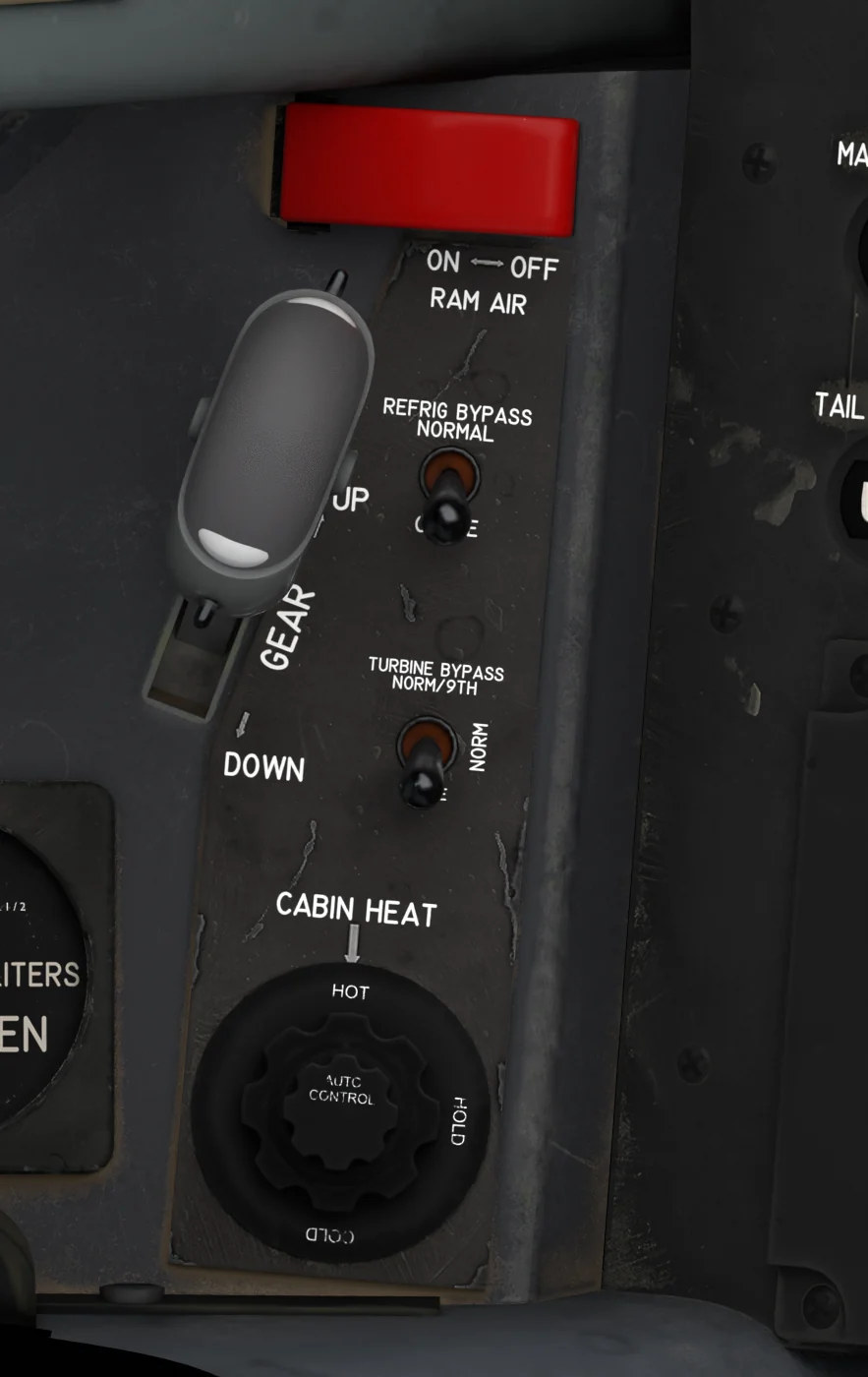
Gear handle and cabin air controls
- RAM AIR (under its guard) - Red guard over the RAM AIR ON / OFF switch. ON shuts the air conditioning off, dumps cabin pressure and ventilates with outside air - strongly low and fast, weakly up high, not at all standing still; the cockpit drifts toward the outside temperature.
- LANDING GEAR HANDLE - See Landing Gear.
- REFRIG BYPASS - NORMAL / CLOSE. CLOSE forces full cold air from the air-conditioning pack; NORMAL lets the CABIN HEAT knob set the temperature. Cold and Dark leaves it in CLOSE (or where your last flight in this sim session left it); runway, taxi and air starts come up in NORMAL.
- TURBINE BYPASS - NORM/9TH / NORM / CLOSE. Cooling turbine and water separator: in NORM they work below 25,000 ft with the engine above 70 % N2 and are bypassed otherwise; NORM/9TH adds 9th-stage bleed air at low power (below about 76 % N2); CLOSE runs the turbine always, with less air flow. Cold and Dark leaves it in CLOSE (or where your last flight in this sim session left it); runway, taxi and air starts come up in NORM.
- CABIN HEAT - AUTO CONTROL - Inner knob: click or scroll to set the automatic cockpit temperature, 55-85 °F in 5° steps; selects AUTO. Outer ring: HOT / HOLD / COLD; its tooltip shows AUTO, HOT, HOLD or COLD.
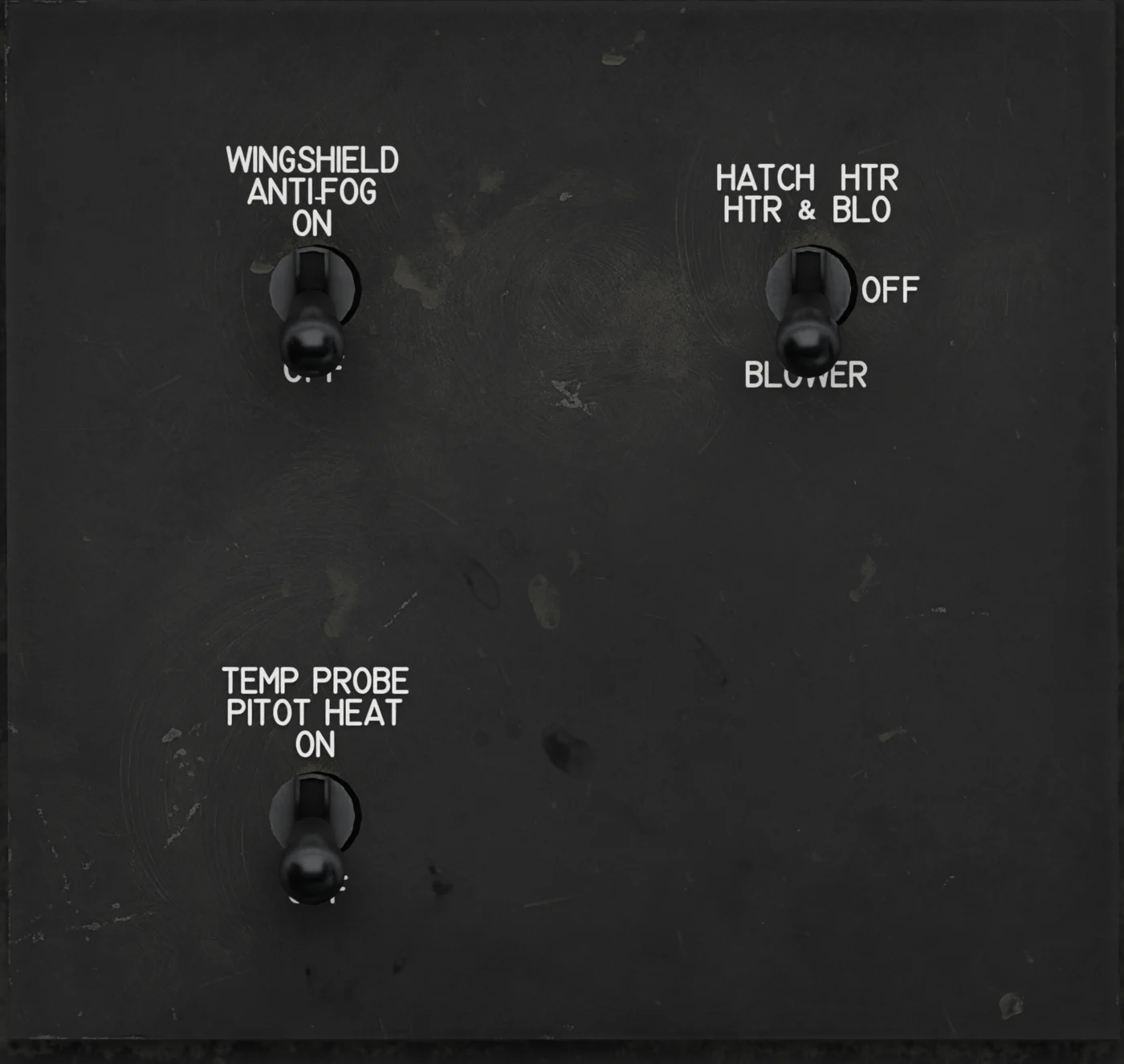
Anti-fog and heater panel
- WINDSHIELD ANTI-FOG - ON / OFF. Heats the windshield so it stays clear of fog, mainly in the descent. ANTIFOG INVRTR ON when it runs on the emergency inverter.
- HATCH HEATER - HTR & BLO / OFF / BLOWER. Q-bay hatch heater, for the photo hatch of the OBC. Without the OBC in the Q-bay, or with the monitored AC bus dead, HTR & BLO gives HATCH HEATER HOT as a wrong-setting alert; BLOWER does nothing.
- PITOT HEAT - ON / OFF (legend TEMP PROBE / PITOT HEAT). Pitot heat; ON in cloud or precipitation near or below freezing. It heats the temperature probe too: on the ground SYS/PERF FAT climbs within seconds, and standing still the probe overheats in about a minute - APCU FAULT and FAT dashes until it cools. So check it on the ground, then OFF until just before takeoff (the EFB Ready for takeoff preset switches it on).
COCKPIT FAN (HIGH / OFF / LOW) mixes the cockpit air: the temperature follows the setting faster and canopy fog clears sooner.
The air conditioning runs on engine bleed air whenever the engine runs and RAM AIR is off; the flow builds from about 30 % N2 and is full from about 75 %. CABIN HEAT AUTO needs essential AC power (without it the valve stays where it is); the valves need essential DC power, and without it - or with ESS DC SHED pressed - the pack goes full cold.
A duct temperature of 200 °F drives the valve toward cold in any mode. CABIN TEMP HIGH appears above 95 °F for 30 seconds. Cabin temperature is shown on SYS/PERF. The temperatures are our own estimates, not manual data.
Oxygen
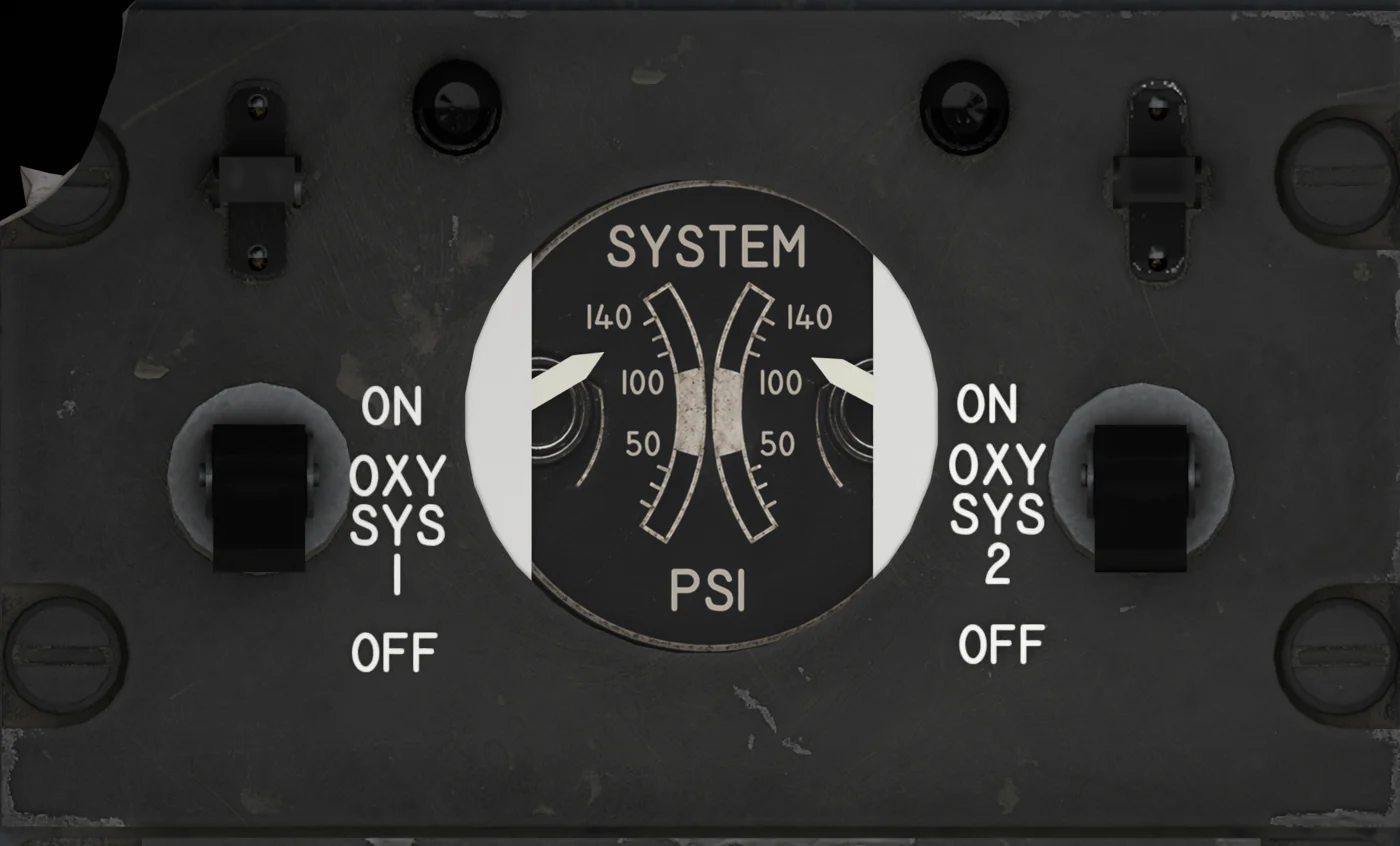
- OXYGEN SYSTEM 1 - ON / OFF. Liquid-oxygen converter 1 to your mask; both systems ON for flight. The left SYSTEM PSI needle only shows ON or OFF.
- OXYGEN SYSTEM 2 - ON / OFF. Liquid-oxygen converter 2 to your mask; both systems ON for flight. The right SYSTEM PSI needle only shows ON or OFF.
Two independent liquid-oxygen (LOX) converters of 10 liters each, with their own OXY SYS 1 / OXY SYS 2 switches. A fresh aircraft has 8-10 liters in each; the two-needle LIQUID OXYGEN gauge beside the gear handle shows both quantities (one needle per converter, 0-10 liters), and the EFB Ground tab shows the quantities, pressure and endurance.
Servicing is on the same tab (25 / 50 / 75 % / Full): it needs the oxygen cart on the stand, the engine stopped and the aircraft parked with the brake set, and fills both converters together at about 3.3 liters a minute - 3 minutes from empty to full.
A level below the present quantity drains nothing, and the fill stops if one of the conditions is lost. Consumption rises with cabin altitude - about 4 liters of gas per minute at sea level, 8 at a 29,000 ft cabin, shared between the converters that are on - which comes to roughly half a liter of LOX per hour, so the oxygen lasts far longer than the fuel - the EFB Ground tab shows about 34 hours at cruise with both converters full. Quantities are also on MFD SYS/PERF (LOX 1, LOX 2) and the CNSUM trend.
Alerts: the OXY lamp, NO. 1 OXY / NO. 2 OXY (a converter off, below 50 psi or below 1 liter), LOW OXY QTY (both below 2 liters), HIGH OXY CONSUM RATE (more than 2 liters an hour over the last 15 minutes; it would mean a leak, and no leak is simulated, so you will not see it).
Hypoxia Simulation
If you have no usable oxygen - both converters off, empty or without pressure - and the cabin altitude is above 8,000 ft, hypoxia sets in. The view narrows to a soft tunnel, then dims to black. How fast depends on the cabin altitude, as it does for a real pilot:
| Cabin altitude | Time to severe hypoxia without oxygen |
|---|---|
| below 8,000 ft | none |
| 10,000 - 15,000 ft | mild symptoms only, over an hour or more |
| 18,000 ft | about 25 minutes |
| 25,000 ft | about 4 minutes |
| 30,000 ft | about 90 seconds |
| 40,000 ft and above | 10-20 seconds |
A rapid decompression (the cabin climbing faster than 1,500 ft/s above 18,000 ft) doubles the rate for a minute. Recovery: oxygen back on - a converter switch, quantity and pressure - clears the symptoms in 45 seconds; descending to a lower cabin altitude without oxygen takes 90 seconds.
With the canopy seal OFF the cabin is at outside altitude, so a seal left off on the climb is the usual way to meet it.
The simulation can be switched off on the EFB Settings tab (Hypoxia simulation); with the EFB Autosave on, your choice is kept for the next flight. It is purely visual - the aircraft keeps flying.