DOCUMENTATION
Status Pages (STAT)
The STAT pages show the condition of the aircraft: the active alerts (ICAW), the alert history (HIST), unit faults and data buses (FAULT, BUS), file loading (LOAD) and the versions and credits (VERS).
ICAW
Example MFD icaw
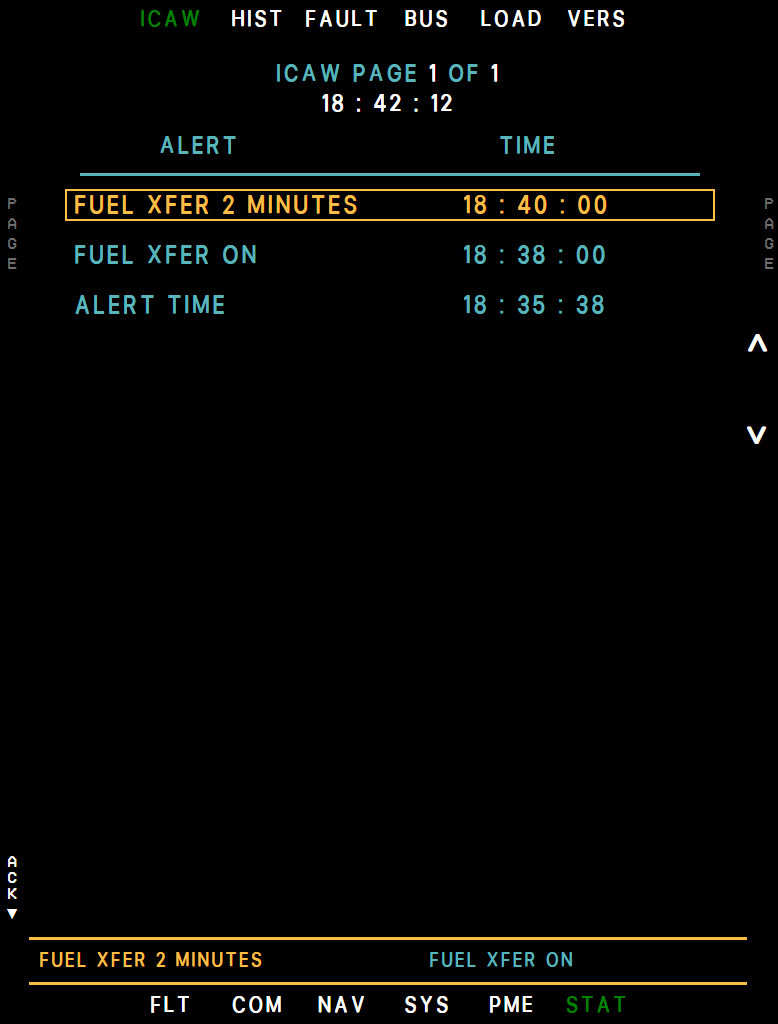
- Page
- Caution (yellow)
- Advisory (cyan)
- Time
- Newest alert
- Arrows (R1 / R2)
- Alert line
- ACK (L7)
All active alerts - warnings, then cautions, then advisories, newest first within each - with the time they appeared, 12 per page (INC/DEC turns the page). The box marks the most recent alert. R1/R2 (arrows) freeze the page and move a cyan arrow over the warnings and cautions (advisories are skipped); R4 EXIT, or 5 seconds without a key press, returns to the live list.
In selection mode R3 SEL opens the EFA checklist linked to the arrowed alert; it is gray, and does nothing, when the EFA has none for that alert. See Warnings and Alerts for the list of messages.
HIST
Every alert of this flight, newest first, with date and time - 15 per page (INC/DEC; R1 TOP returns to page 1). L1 CLR erases the list after L2 YES. The list holds 200 alerts: HIST FILE 80% FULL warns, and at 200 it clears itself (HIST FILE CLEARED).
Two alerts read differently here: DDL2 FAULT from failing telemetry uploads is listed as DDL2 PLATFORM CBIT, and HARD LANDING carries the sink rate of the touchdown.
Example MFD hist
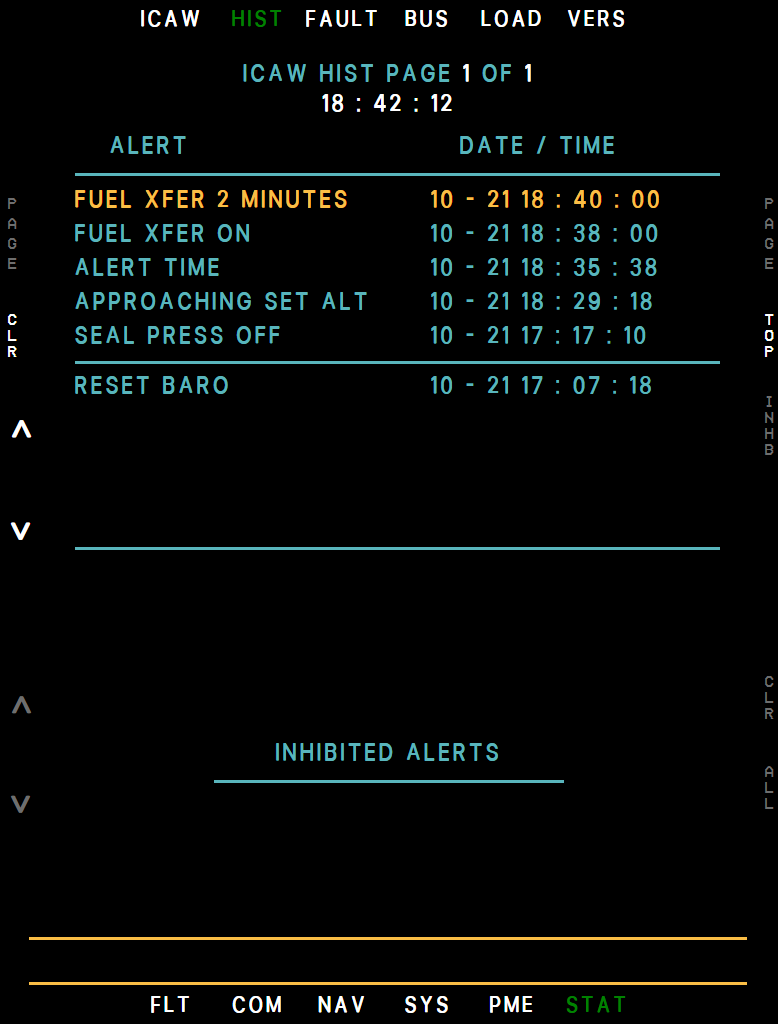
- Page
- Newest alert
- Date / time
- Oldest alert
- Inhibited alerts
- CLR (L1)
- TOP (R1)
- INHB (R2)
Here you can also inhibit up to five nuisance alerts: pick a warning or caution with the L2/L3 arrows and press R2 INHB. An inhibited alert still shows on the MFDs and its warning-panel lamp still lights, but neither lights the MASTER CAUTION again.
The inhibited list is at the bottom: the L5/L6 arrows pick one, R5 CLR releases it, R6 ALL releases them all (R7 YES). Lamps without an MFD alert, such as the fuel level lights, cannot be inhibited.
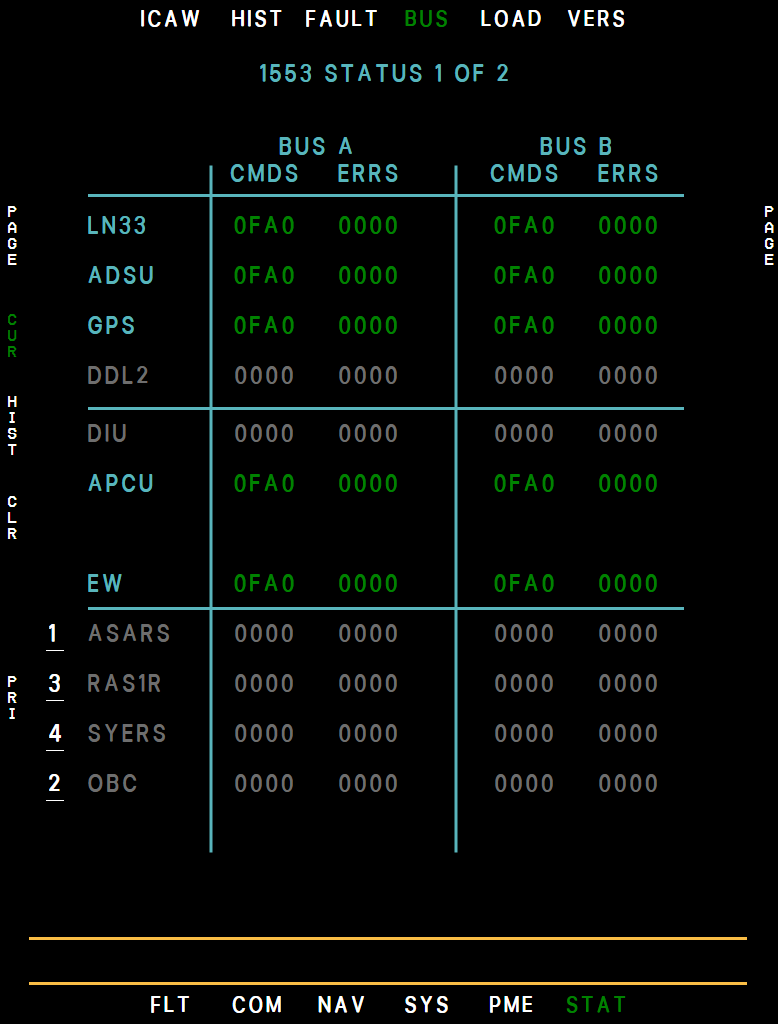
FAULT, BUS
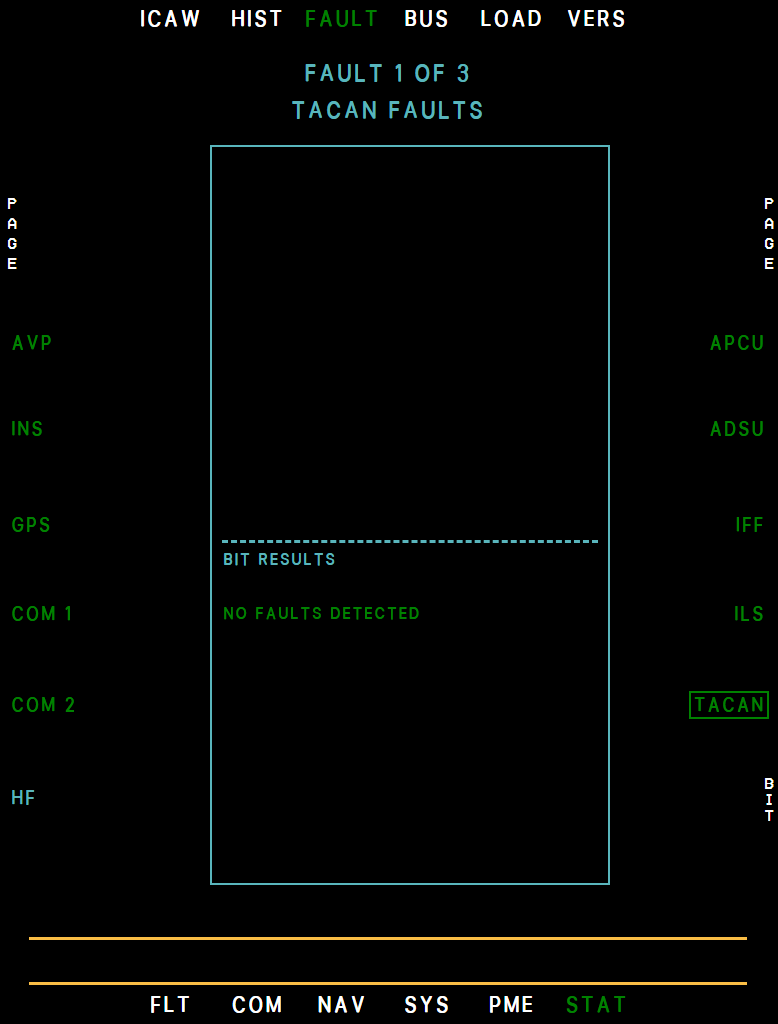
Avionics health pages with built-in tests. FAULT lists the units on three pages (INC/DEC): pick a unit with its side key and the window shows its active faults - the names of its current alerts - and its BIT results. Each unit's name takes the color of its worst active alert: gray = not powered or not fitted (the HF radio, not fitted, shows cyan), white = not reporting (warming up, in a startup self-test, or a unit such as the ADSU or APCU without power on the data bus), green = OK, cyan / yellow / red = advisory / caution / warning.
R6 BIT runs a unit's test (R7 YES); the AVP's runs on the ground only. R7 MX opens the maintenance pages of the AVP (soft reset), the INS (test, memory, post flight records) and the APCU (fault codes, recorder addresses).
The EW unit (page 2) follows the EW system: gray while EW CONT is off, white during its startup self-test (the window shows STARTUP BIT IN PROGRESS with the time remaining, and the BIT results only afterwards) and with EW CONT on but no power, green once it is up, and cyan with EW IBIT TIMEOUT.
F UFCD, BCDU, DDL2, ASARS and SYERS have their own fault alerts. SYERS (page 2) and OBC (page 3) follow the camera fitted - the other one is gray - and R7 BIT on the CAM and RDR pages opens this page with that sensor selected; DDL2 follows the EFB datalink and is gray with the datalink off.
Apart from the EW the tests always report no faults. The EW BIT runs about 30 seconds with the EW system up (EWS IBIT on the EW page; REC flickers as it starts). Done in REC it lists the drive boxes and jam amplifiers as NRUN, and one that cannot finish within 40 seconds - EW CONT switched off meanwhile, say - reads IBIT NOT COMPLETED and gives EW IBIT TIMEOUT.
The APCU has no BIT (the autopilot's built-in test is not simulated), only MX; its window lists an APCU FAULT as APCU TEMP PROBE, the temperature probe out of range. Note that BUS is the avionics data bus, not the electrical system.
Example MFD fault
Example MFD bus
LOAD
Loads routes into the aircraft. The files: ST1 - EFB (the route sent from the MSFS EFB, which reaches STORE 1 by itself, with or without a MAP page open), ST2 - SIMBRIEF, ST3 / ST4 - INSPLANNER (a 6-digit plan number typed into the ID box), EMER-BULL-ROZ (emergency fields, bullseyes and restricted zones from SimBrief or a planner ID), TD - INSPLANNER (targeting points from a planner ID; gray without an imaging sensor) and COM 1 / COM 2 presets.
Select a file with its side key and press R6 LOAD; R5 DTAIL shows the points first, R3 ACT copies a selected store file into ACTIVE, and R7 ALL loads every file in turn after R6 YES. The status reads LOADED, or LOAD FAILED with the reason (no SimBrief ID, no network, unknown plan...).
For SimBrief, enter your Pilot ID once on the EFB Flight plan tab. With the EFB option Activate loaded flight plans on (the default) a loaded route, or one sent from the MSFS EFB, becomes the ACTIVE file at once. While a file on a display's LOAD page has failed to load, the advisory AVP LOAD FAIL is on; it goes out once that file has loaded.
Example MFD load
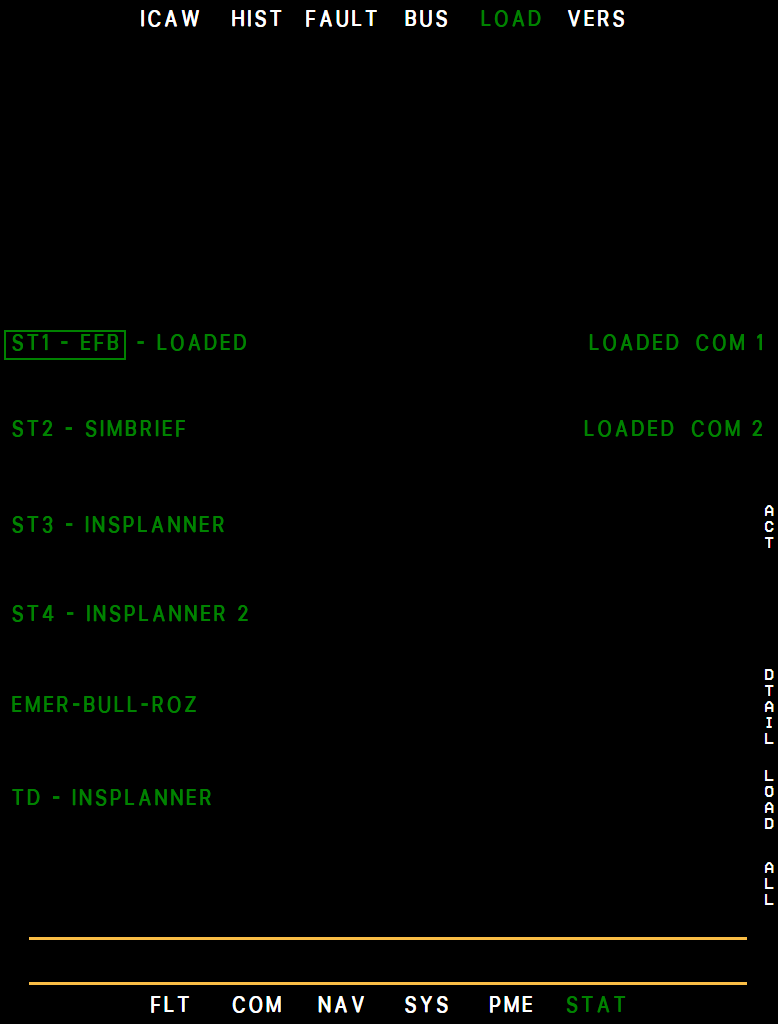
- Selected file
- Status
- SimBrief route
- INS Planner route
- EMER / BULL / ROZ
- COM presets
- DTAIL (R5)
- LOAD (R6)
- ALL (R7)
VERS
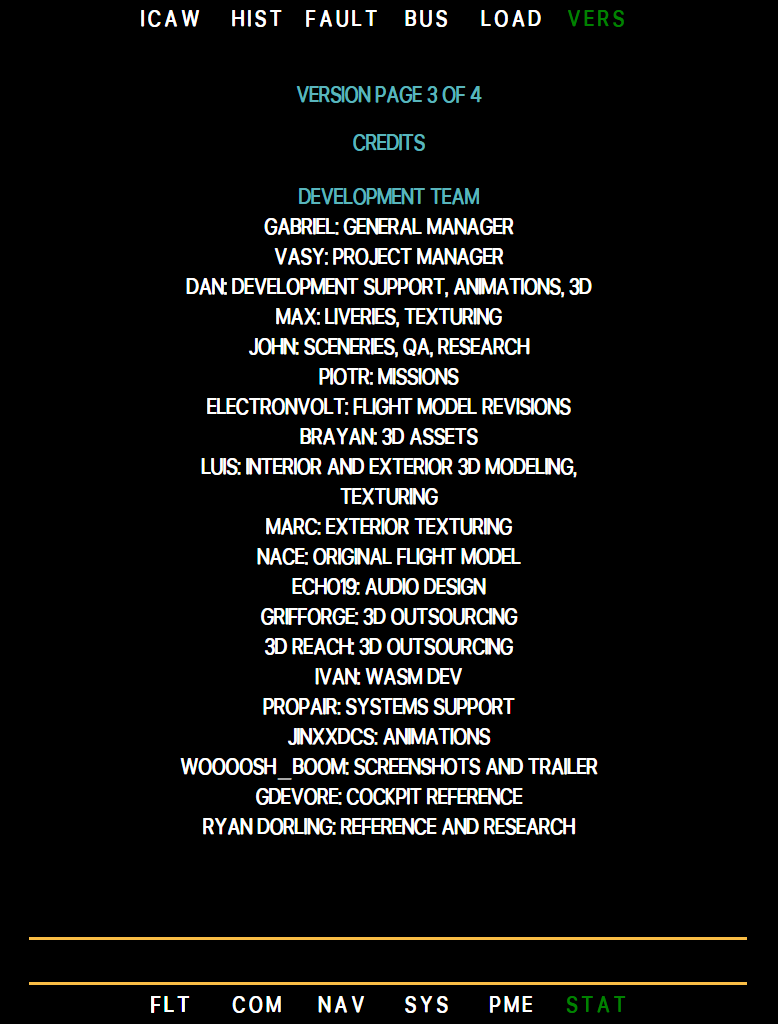
Page 1 shows the aircraft version and release date and the version of each unit. INC or DEC turns to the credits: the development team with their roles, then the camera map-data attribution, on as many pages as they need (three at present: the heading, the team, the map data; so the title reads VERSION PAGE 2 OF 4 on the first one). The full team list is also under Credits.
Example MFD vers
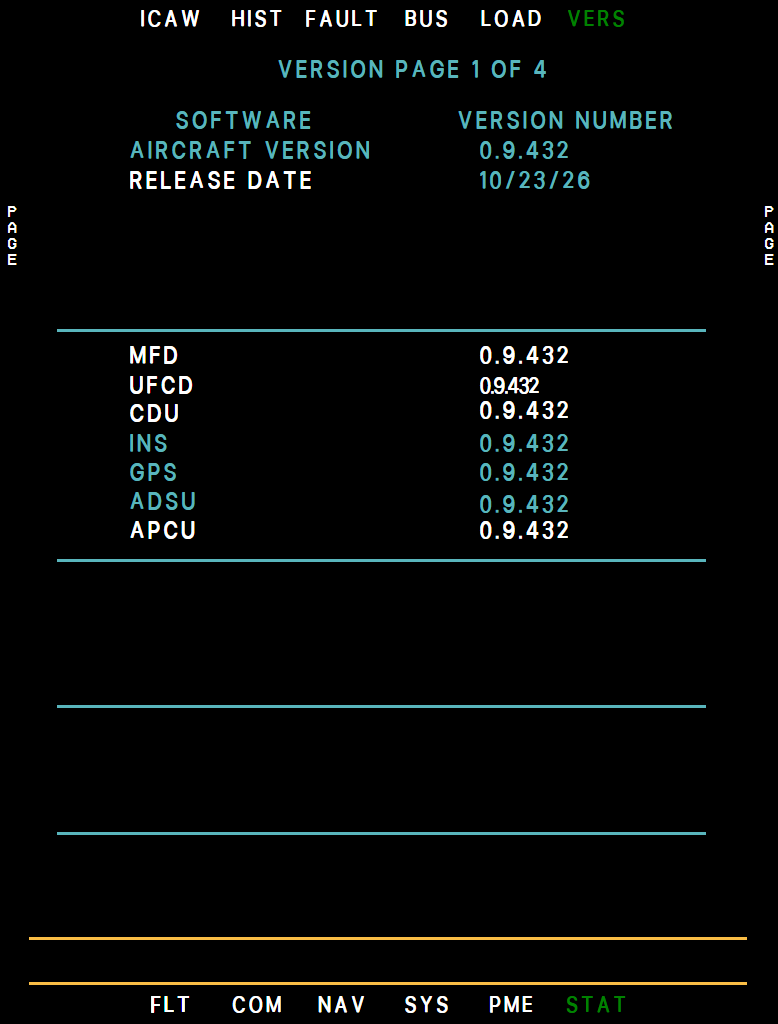
Example MFD vers, credits