 DOCUMENTATION
Quick Start Guide
This guide takes you from a cold aircraft to ready for takeoff. MSFS sets the starting state by where you start: a parking spot is Cold and Dark, a runway is ready to fly. Choose one of the three ways below.
1Runway startReady at onceStart your flight on the runway: engine running, avionics up, INS aligned.2EFB presetUp to 3 minutesAlready parked: EFB Set up aircraft, Ready for takeoff or Ready for taxi.3Cold and Dark startAbout 5 minutesStart on a parking spot with everything off and set it all up yourself, step by step.
1. Runway Start
Start your flight on the runway (or in the air). The aircraft loads fully powered: engine running, boost pumps on, all avionics on, INS aligned, transponder on, pitch trim in AUTO, canopy closed with the CANOPY SEAL ON, the SPOILER switch in ARM, EW CONT in RPT and the guard receiver muted (white G on the UFCD).
Before you roll
- Set the altimeter.
- Wait for the runway crew. Hold still: with the chase car on, two technicians pull the pogo safety pins in about a minute. Wait for "ground crew clear".Go without them and the pogos stay on, and the emergency start system keeps its ground safety pin (no airstart). See Normal Procedures - Flying the U-2S.
2. EFB Preset
Already on a parking spot? Stop, open the EFB Aircraft tab, Set up aircraft, and choose a preset. The engine goes straight to ground idle (no ground carts needed) and the avionics come up with the INS aligned. Allow up to three minutes.
| Preset | What you get |
|---|---|
| Ready for takeoff | Canopy closed and seal ON, SPOILER switch ARM, EW CONT RPT, landing light on, pitot heat off, transponder NORM, AFCS POWER with PITCH, ROLL and YAW on. |
| Ready for taxi | The same, but the canopy seal, SPOILER switch, EW CONT, landing light and autopilot are left off, and the taxi light is on. |
| Ready to start | Stops at the ENGINE START checklist: ground power connected, avionics up, INS aligned, engine off and canopy open. You start the engine yourself (step 9 below). |
Every preset tunes the radios and sets the altimeter, and the MFDs skip their power-on test. The parking brake stays set (not with the EFB option Cockpit handle on Stall strip). The covers and gear pins come off; the wheel chocks stay on, and the pogo pins wait for the runway crew (see Before you roll).
3. Cold and Dark Start
On a parking spot everything is off and the canopy is open. Ground power, starting air and oxygen come from the carts on your stand, worked from the EFB Ground tab.
A Power and checks
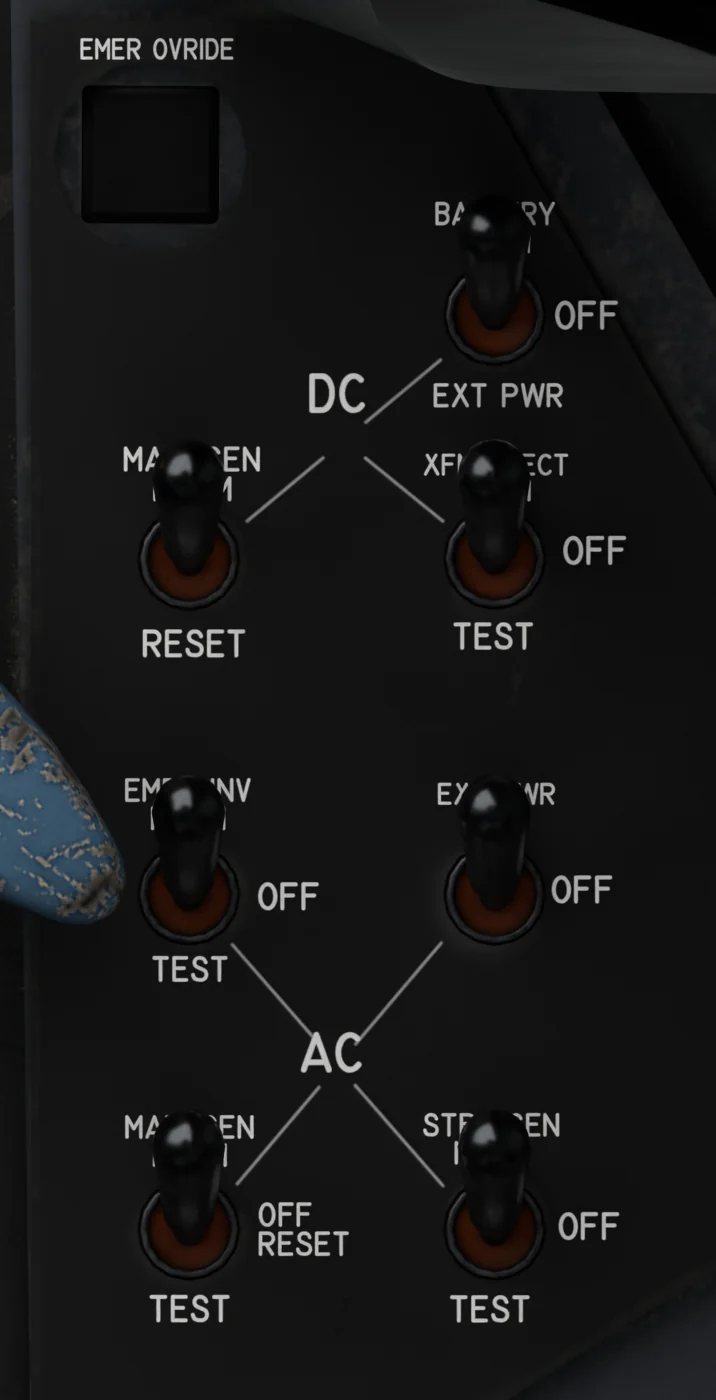 Electrical panelPower
- EFB Ground tab, Servicing, Ground power: Connect. Until it is connected, the switch does nothing (the MSFS ground-services power cart is not used).
- BATTERY to EXT PWR.
- EXTERNAL POWER ON.
- Leave the generator, inverter and transformer-rectifier switches OFF until the engine runs.
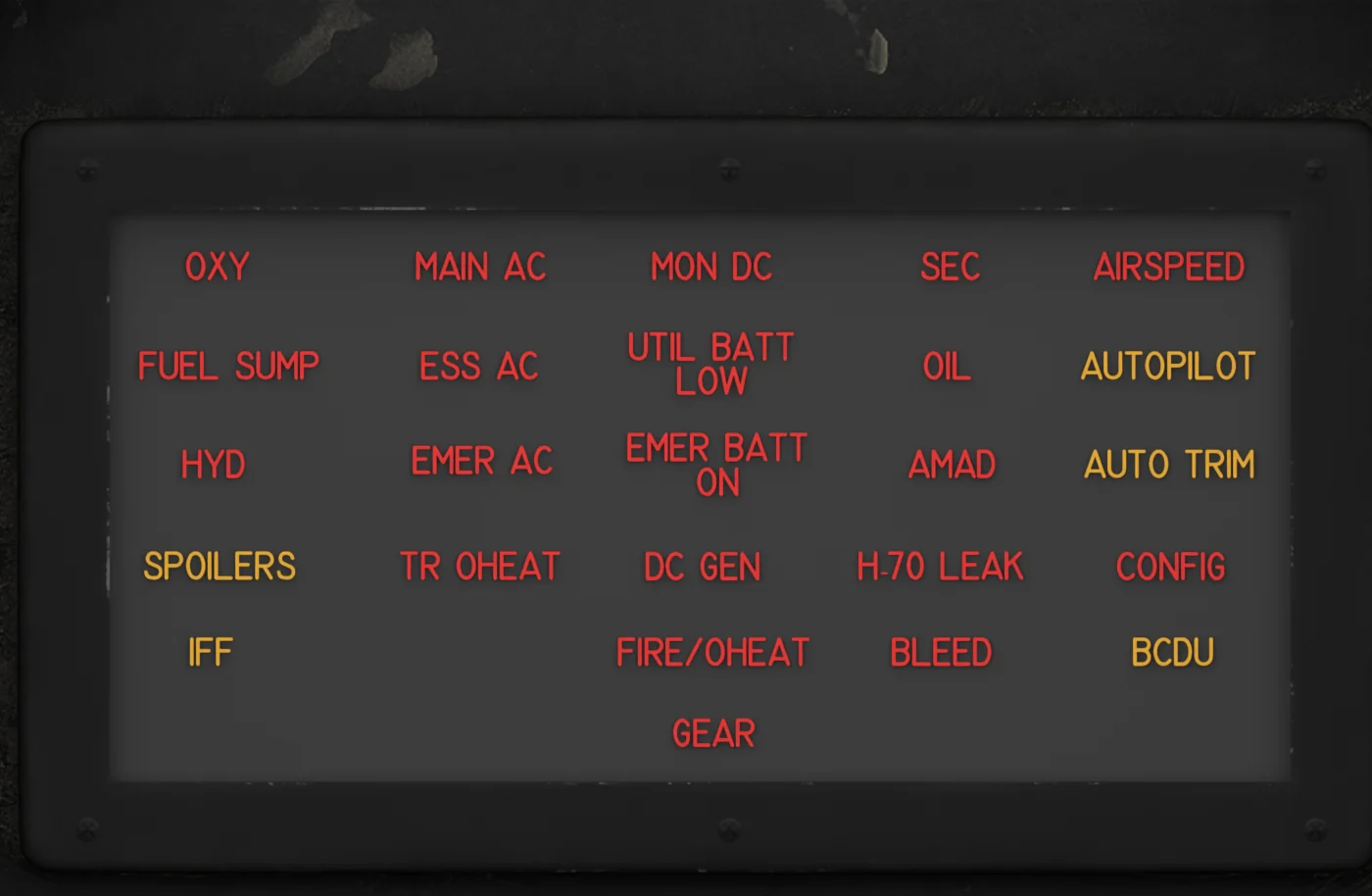 Warning panelWarning panel test
- Hold MASTER LIGHT TEST: every warning lamp lights, and the red gear handle light too (with LANDING GEAR NOT DN on the MFDs).
- Both LOX quantity needles run down towards zero (both oxygen alerts after about 9 s with full converters). Let go and they come back.
- With the engine stopped these lamps are normal: DC GEN MAIN AC HYD OIL AMAD SEC OXY.
- Press the MASTER CAUTION lamp to reset it.
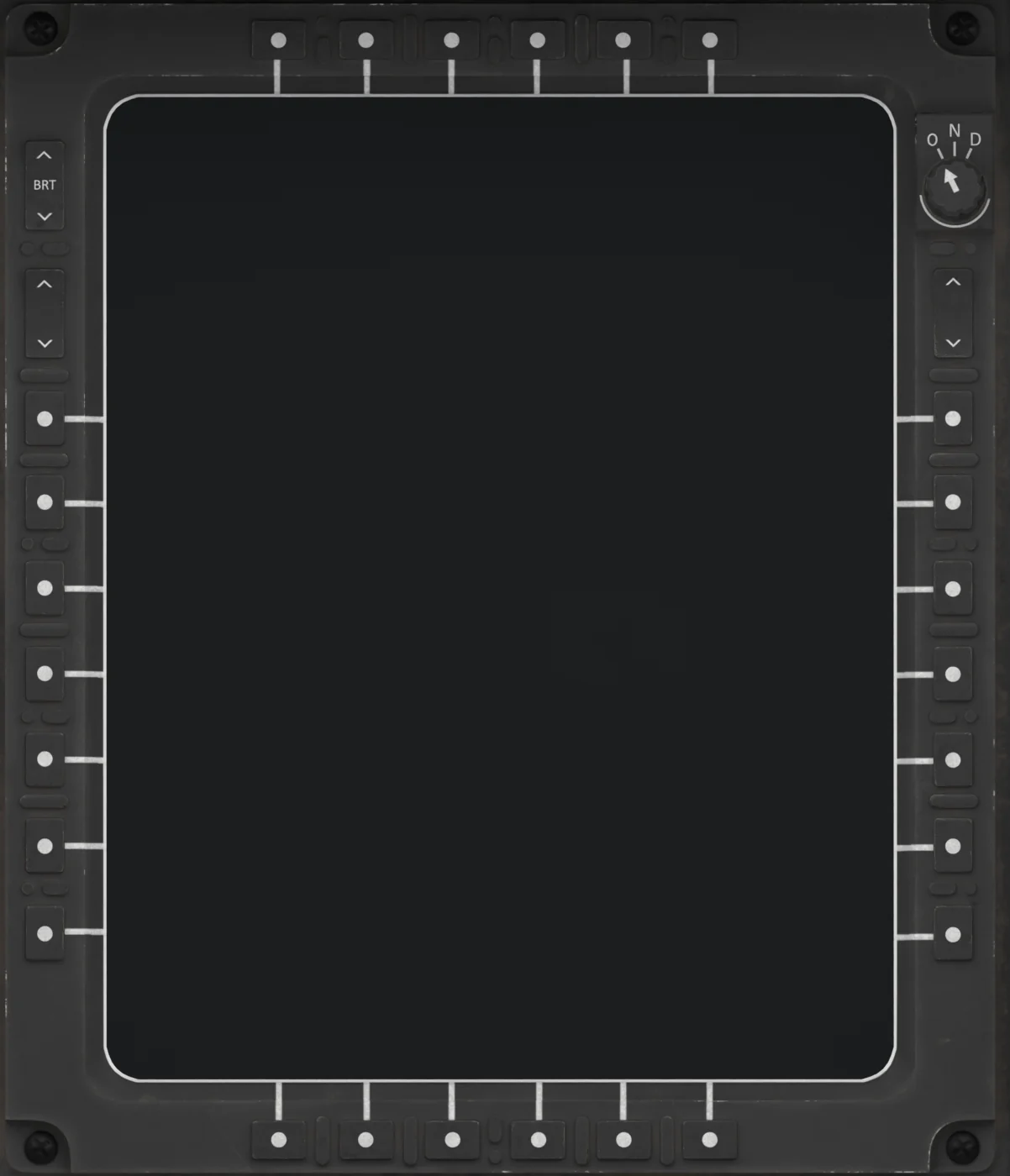 MFDTurn on the MFDs
- Turn the small knob in the top right corner of each MFD from OFF to DAY.
- Each display runs its 9-second power-on test, then shows DISPLAY BUS OR AVP FAILURE until the AVP is up.
B Avionics and the INS
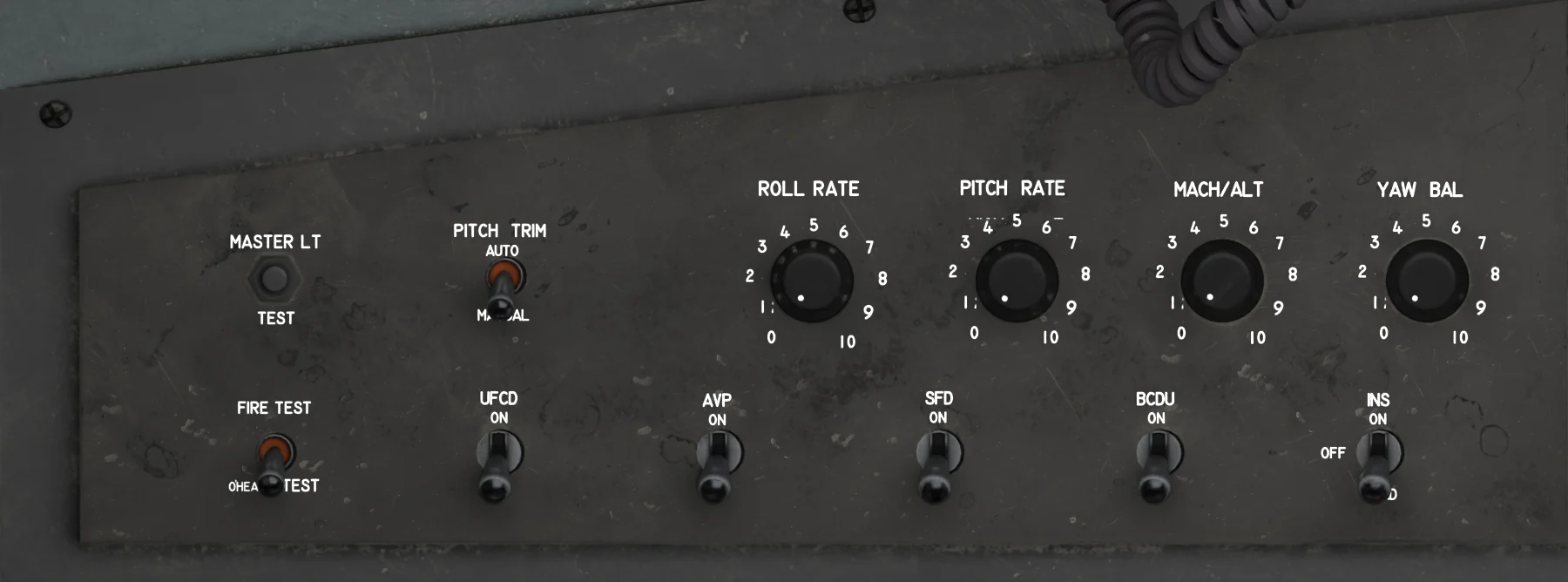 Avionics power, right wallRight console, slowest first
- INS: flick to LOAD, then ON.
- SFD ON: power-on test, then attitude initialization (10 s, or 3 minutes with Realistic start-up). The aircraft must not move.
- AVP ON: the MFD pages appear once it is up (7 s, or 2 minutes with Realistic start-up).
- UFCD ON: 9-second self-test.
- BCDU ON: 15-second start.
- IFF ON: comes up in standby.
- PITCH TRIM AUTO.
- EW CONT (top right of the main panel, beside the SFD) to REC if you want the EW system. It runs a self-test first (30 s, or 5 minutes with Realistic start-up) and needs AC power: ground power or the engine.
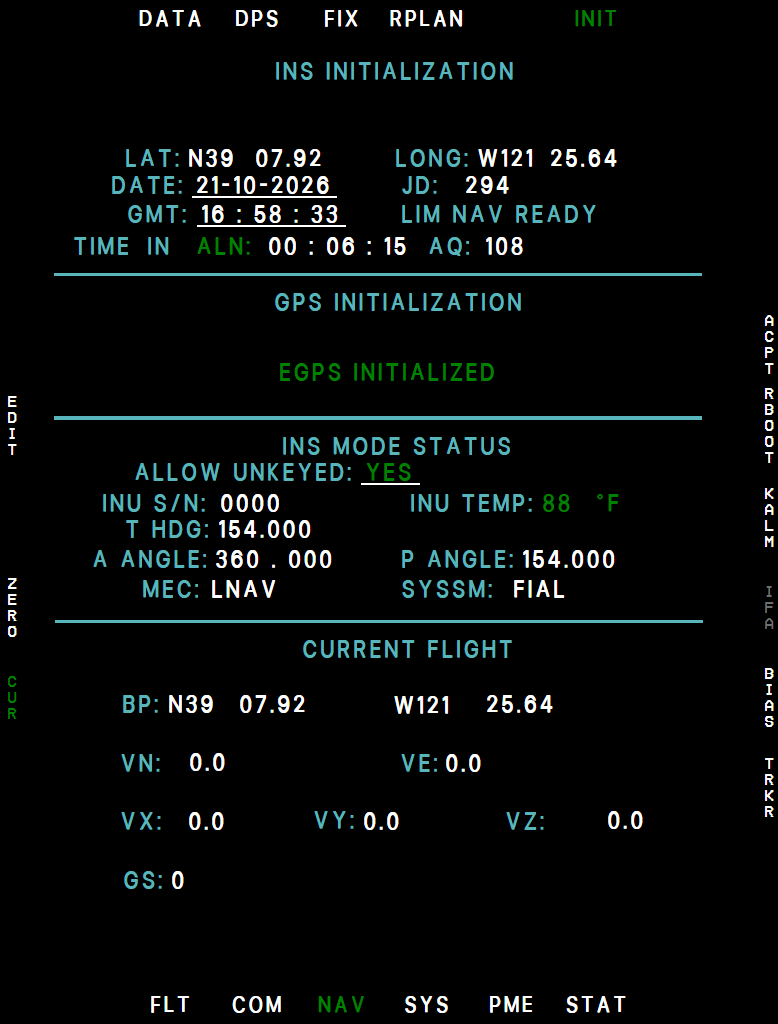 MFD NAV / INITStart the INS alignment
- As soon as the MFDs are up: NAV → INIT.
- R1 ALN, then R2 YES.
- It is the longest item: do the next steps while it runs.
C While the INS aligns
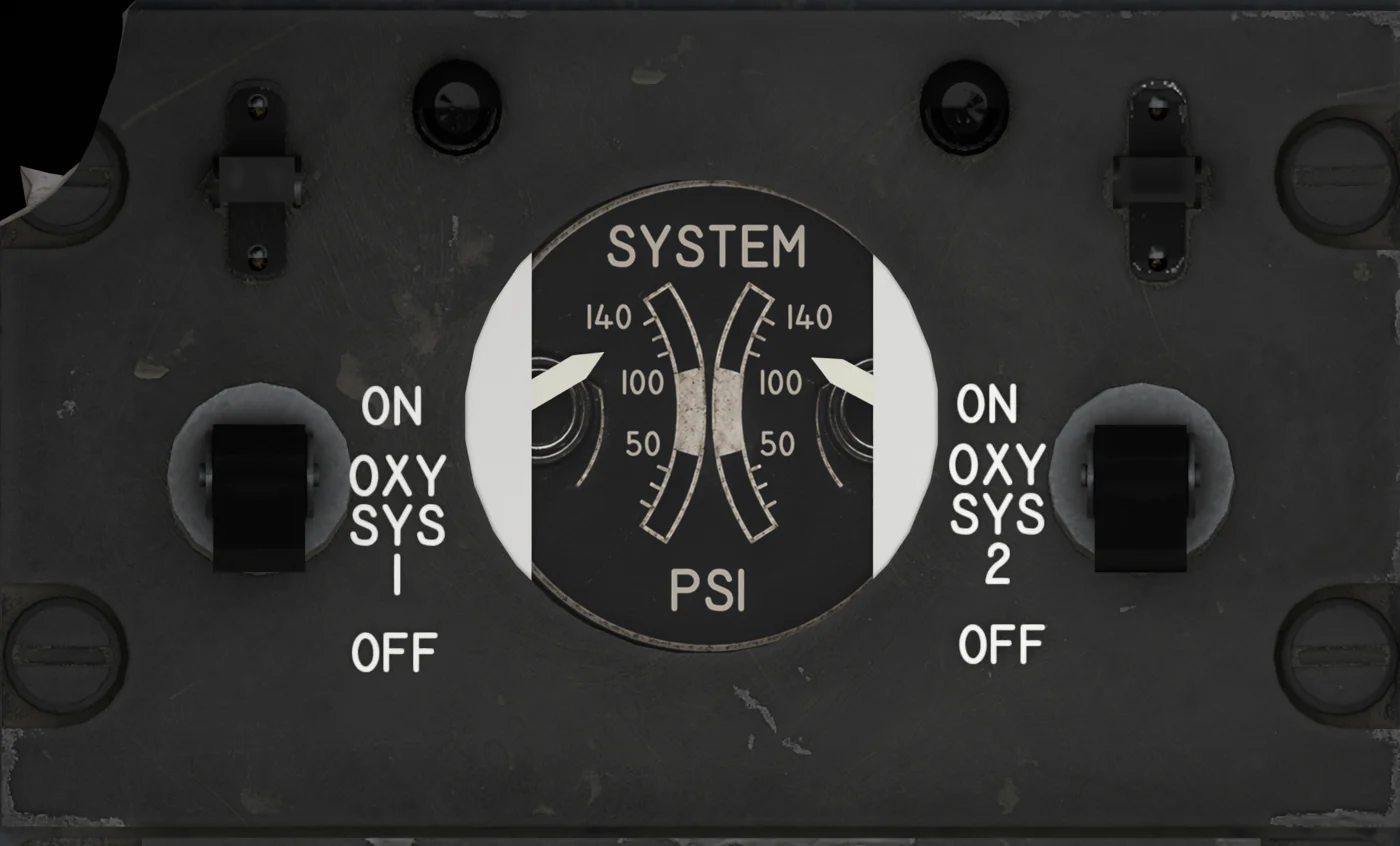 Oxygen panelOxygen
- Oxygen systems 1 and 2 ON.
- The OXY lamp goes out after a few seconds.
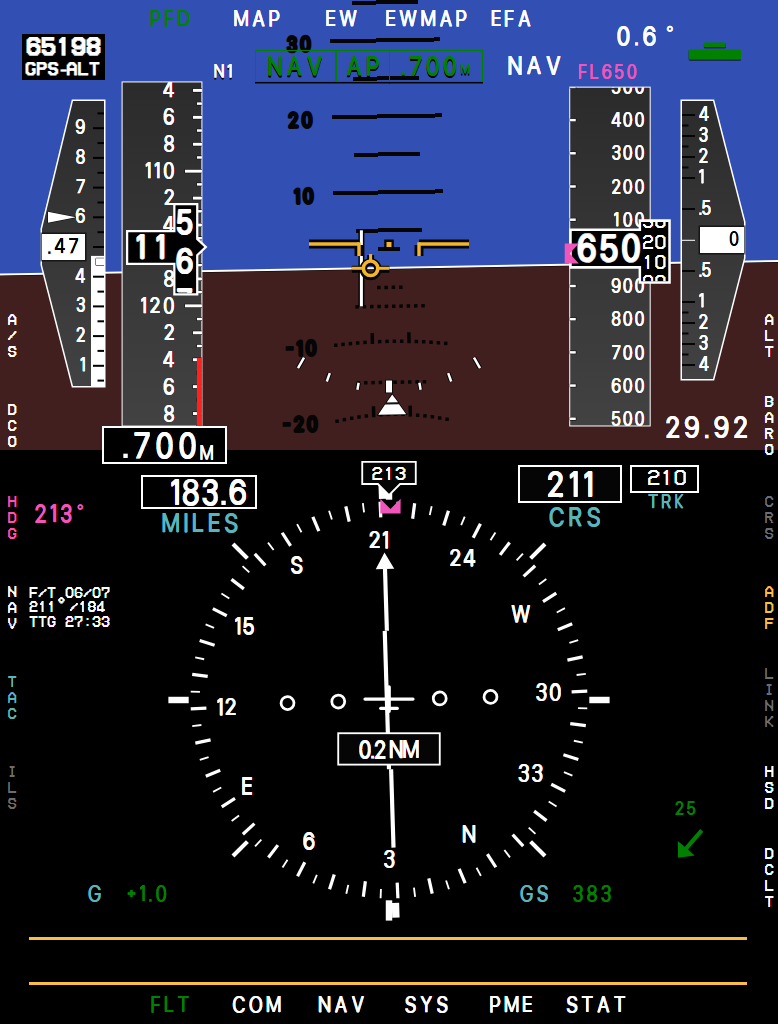 MFD PFDAltimeter
- Set the baro on the MFD to clear the red ALT box.
- RESET BARO.
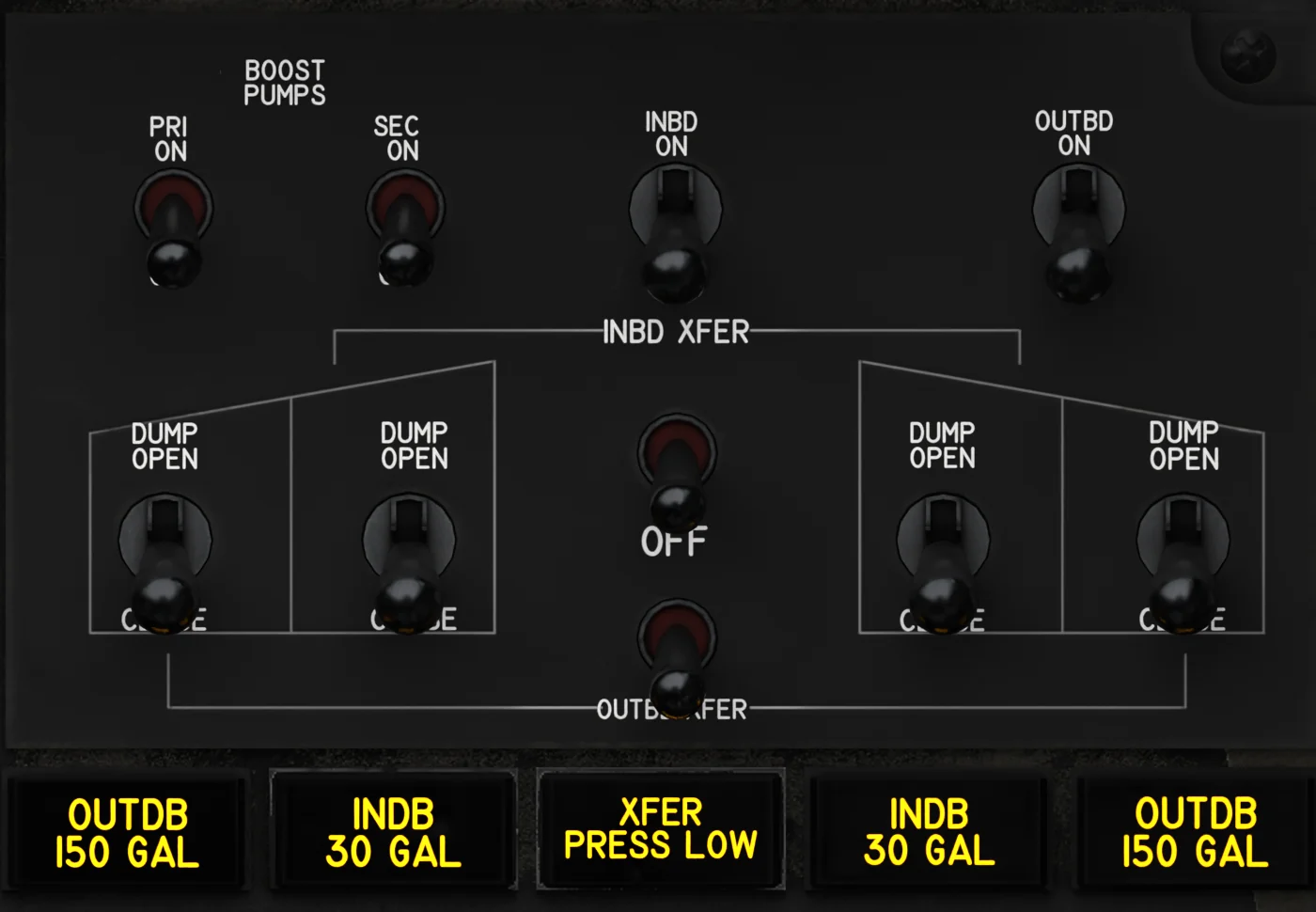 Fuel panelFuel
- Both FUEL BOOST PUMP switches ON.
- Check the sump on SYS → PERF (about 70 gal).
- Set your fuel bugs.
D Engine start
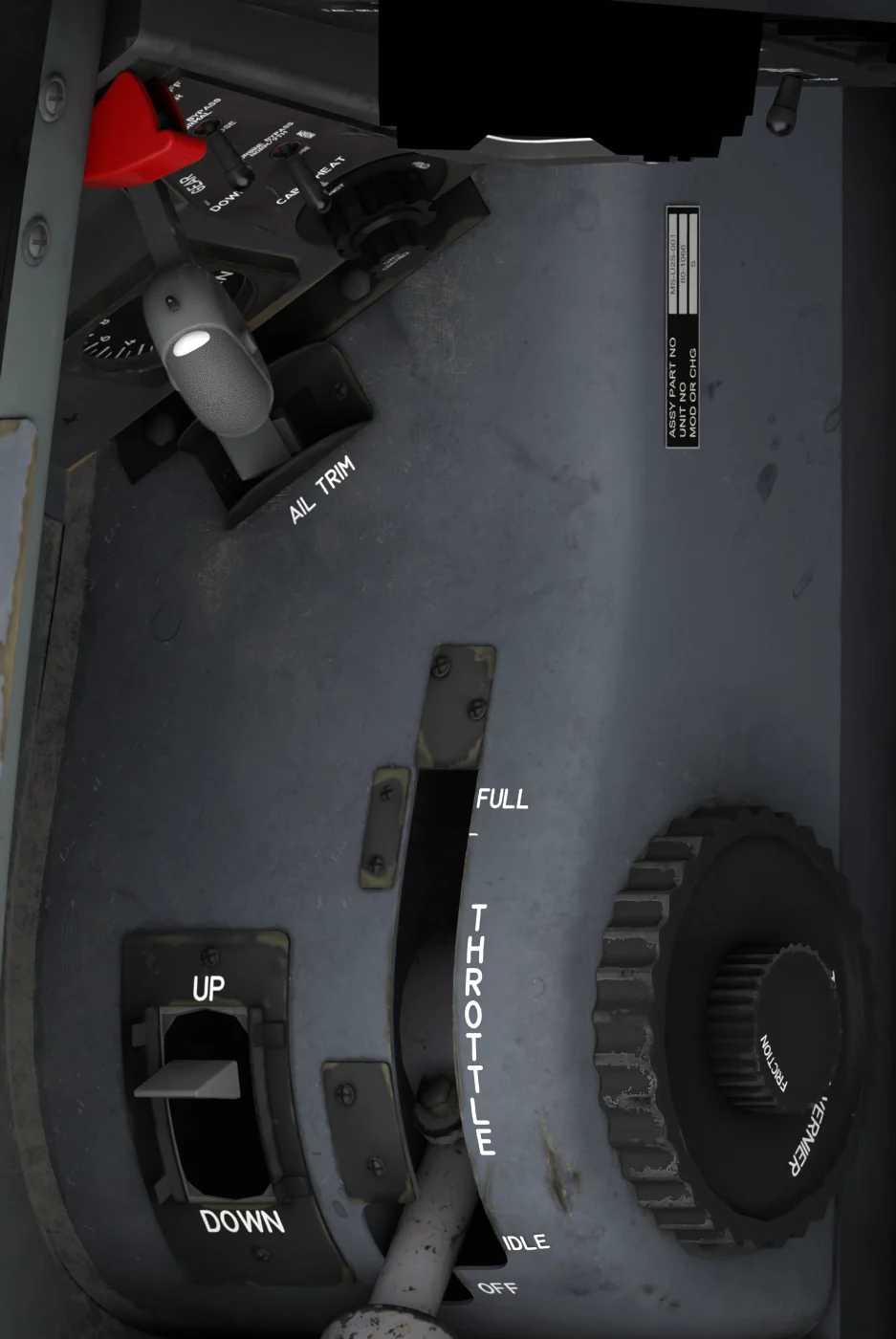 Throttle quadrantStart the engine
- Throttle OFF: right-click the throttle below 10 %.
- Parking brake set.
- EFB Ground tab, Servicing, Air Supply Unit: Attach, then Apply. Or press MIC on the yoke or throttle to call for the air. Attach brings the air-start unit out if it is hidden.
- The cart connects the hose and the air comes on: the starter turns the engine, and ignition is automatic.
- At 20 % N2, right-click the throttle again to select IDLE. The engine lights off and accelerates to ground idle, about 60 % N2 at sea level.
- The crew removes the air by itself. HYD, AMAD, OIL and SEC go out; DC GEN and MAIN AC stay on until the next step.
- Electrical panelGenerators on line, ground power off
- MAIN AC GENERATOR NORM.
- MAIN DC GENERATOR NORM: DC GEN goes out.
- BATTERY NORM.
- EXTERNAL POWER OFF: the main AC generator takes over and MAIN AC goes out.
- STANDBY GENERATOR, EMERGENCY INVERTER and TRANSFORMER RECTIFIER to NORM.
E Before taxi
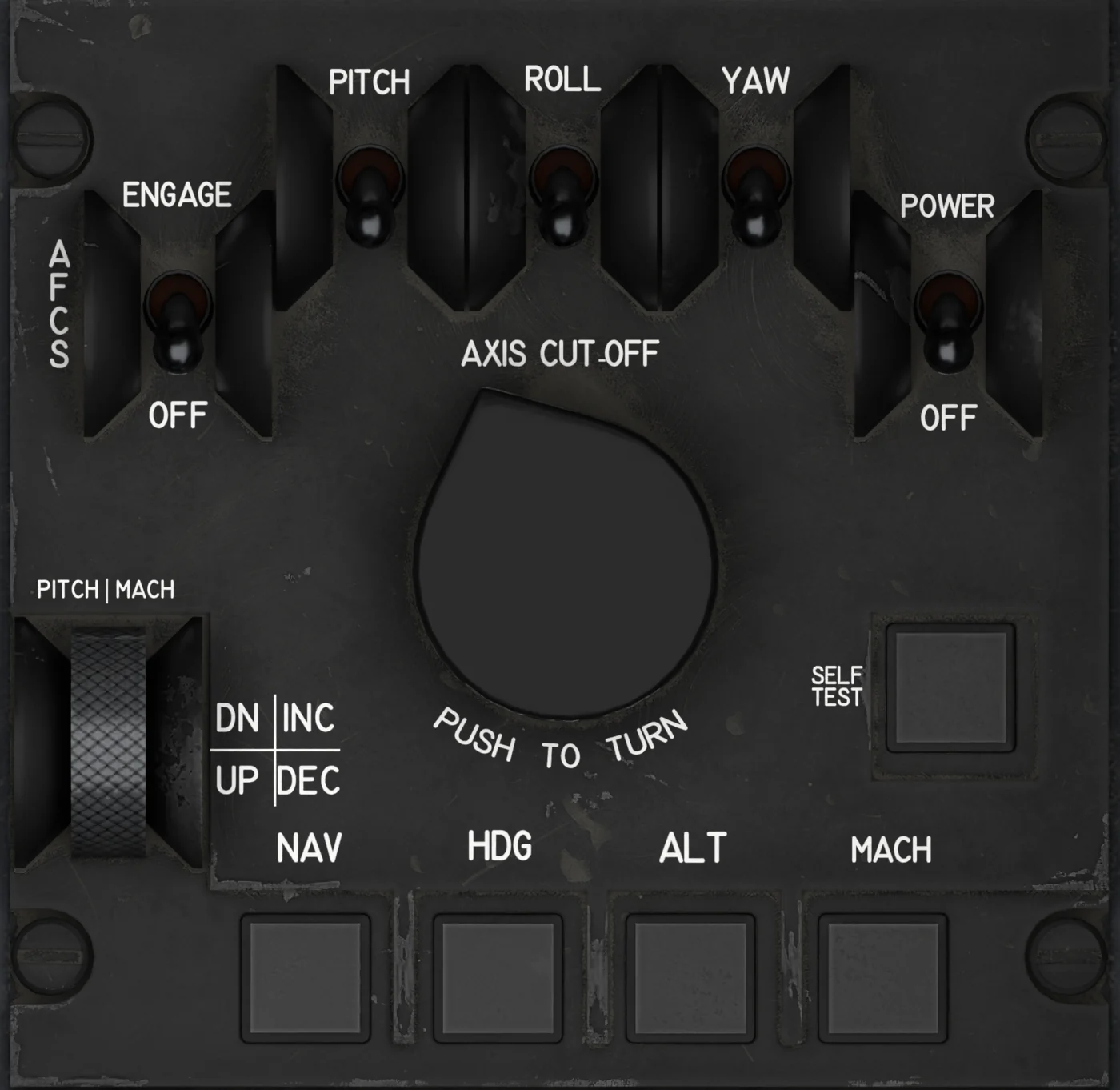 AFCS panelBefore taxi
- Gear pins out in the walkaround (one click removes both).
- Wheel chocks off: EFB Ground tab Wheel Chocks Off, or click them away in the walkaround.
- INS accepted (N on the PFD).
- IFF NORM and squawk set on the UFCD.
- AFCS POWER on, and its PITCH, ROLL and YAW switches ON (all three are OFF from Cold and Dark).
- MANUAL TRIM POWER on the yoke ON, and the pitch trim set (it only moves with hydraulic pressure).
- SPOILER switch ARM.
- Canopy closed (click the CANOPY LATCH placard) and CANOPY SEAL ON.
- Oxygen switches ON, radios tuned.
- Hold the brakes and release the PARKING BRAKE (push the handle). This also takes off any ground cart still connected.
Set the EFB option INS alignment time to Short and the whole cold start fits into about five minutes. Then wait for the runway crew as in Before you roll.