 DOCUMENTATION
Lights
The exterior light switches are on the Lights and Spoiler panel, on the left side wall. The cockpit light knobs are on a different panel, the Lights panel.
Exterior Light Switches
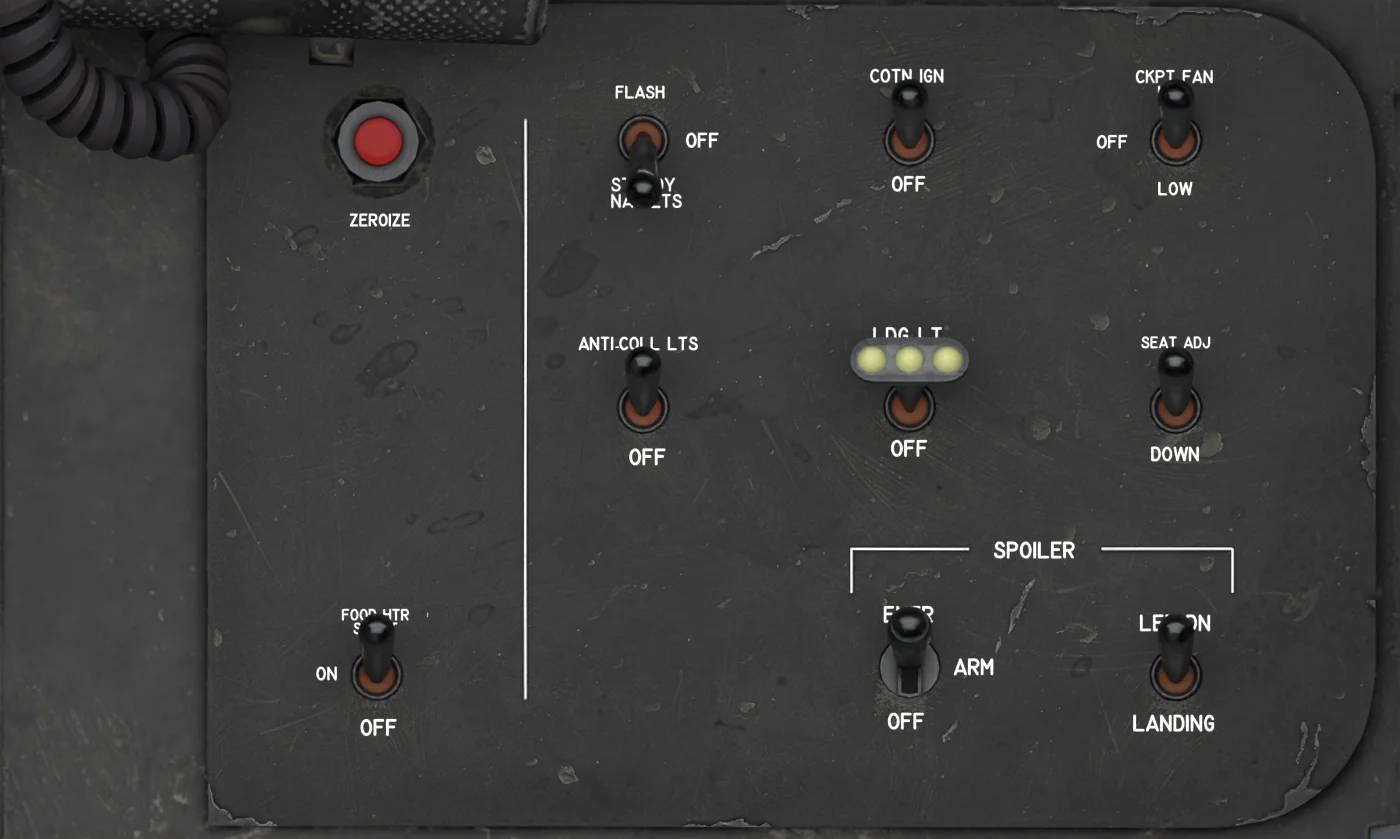
- NAV LIGHTS - FLASH / OFF / STEADY. Navigation lights; they need monitored DC power.
- ANTI-COLLISION LIGHTS - ON / OFF. Anti-collision (beacon) lights.
- LANDING LIGHT - ON / OFF. Landing light; it only lights with the gear down.
Key Bindings
Two MSFS bindings move the cockpit switches. For all bindings, see the Keybinds Guide.
| Light | MSFS binding | Effect |
|---|---|---|
| Landing light | TOGGLE LANDING LIGHTS |
Moves the LANDING LIGHT switch. |
| Navigation lights | TOGGLE NAV LIGHTS |
Moves the NAV LIGHTS switch. |
Cockpit Lights
The PANEL, UFCD-SFD and INSTRUMENT light knobs and their circuit breakers are on the Lights panel, with the standby AOA gauge. See Overview - Cockpit for its location.
MASTER LIGHT TEST is a lamp test for the warning lamps, not a light switch. See Warnings and Alerts.