 DOCUMENTATION
SYERS-2A Camera
The long-range digital camera in the nose: what it is on the real aircraft, what it does in the simulator and where you operate it.
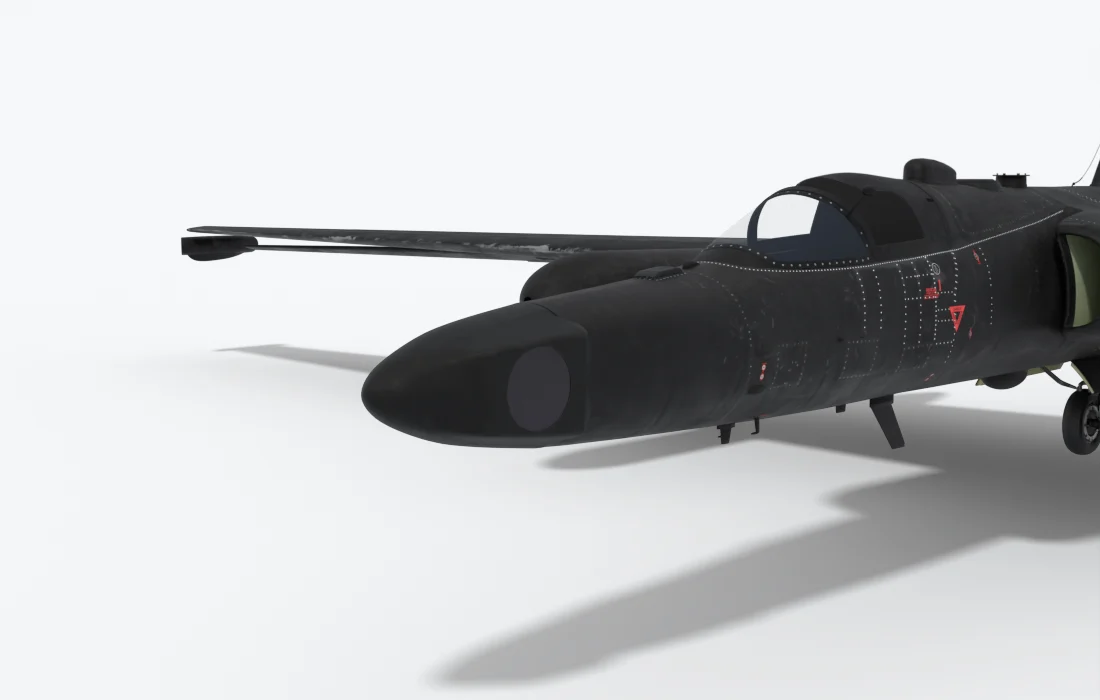
On the real aircraft. SYERS-2, the Senior Year Electro-optical Reconnaissance System, is a long-range digital camera. It records several bands of light at once, from visible through near and short-wave infrared to mid-wave infrared, and it can look far out to the side of the aircraft. Like any camera it needs a clear view of the ground, so cloud stops it.
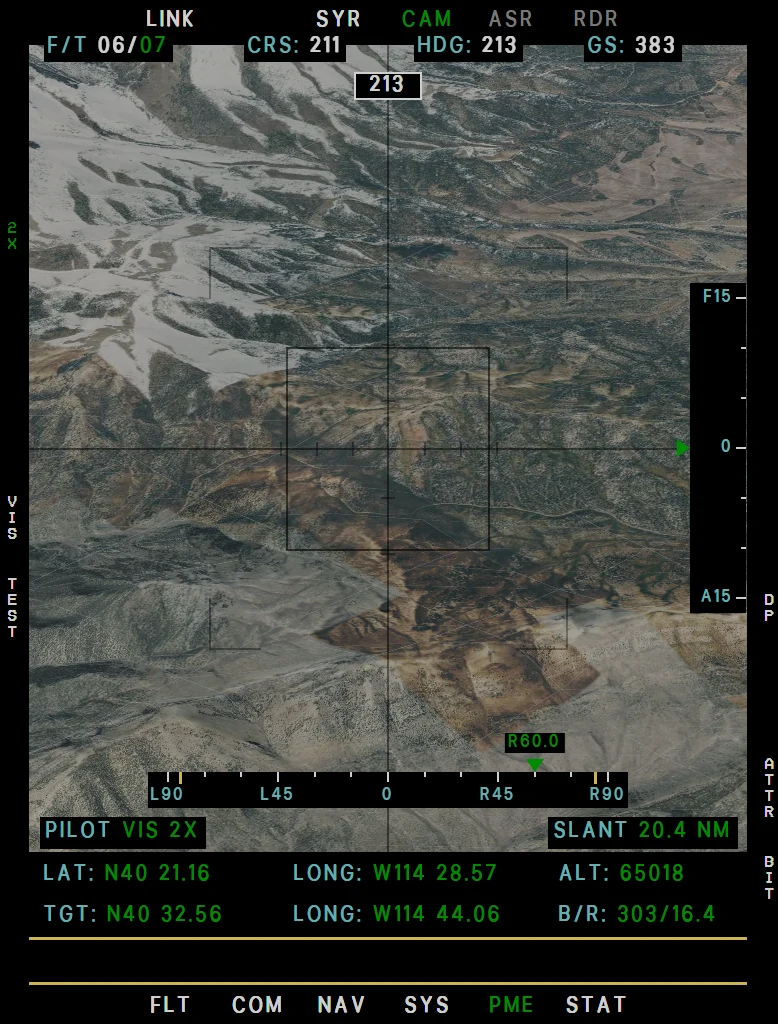
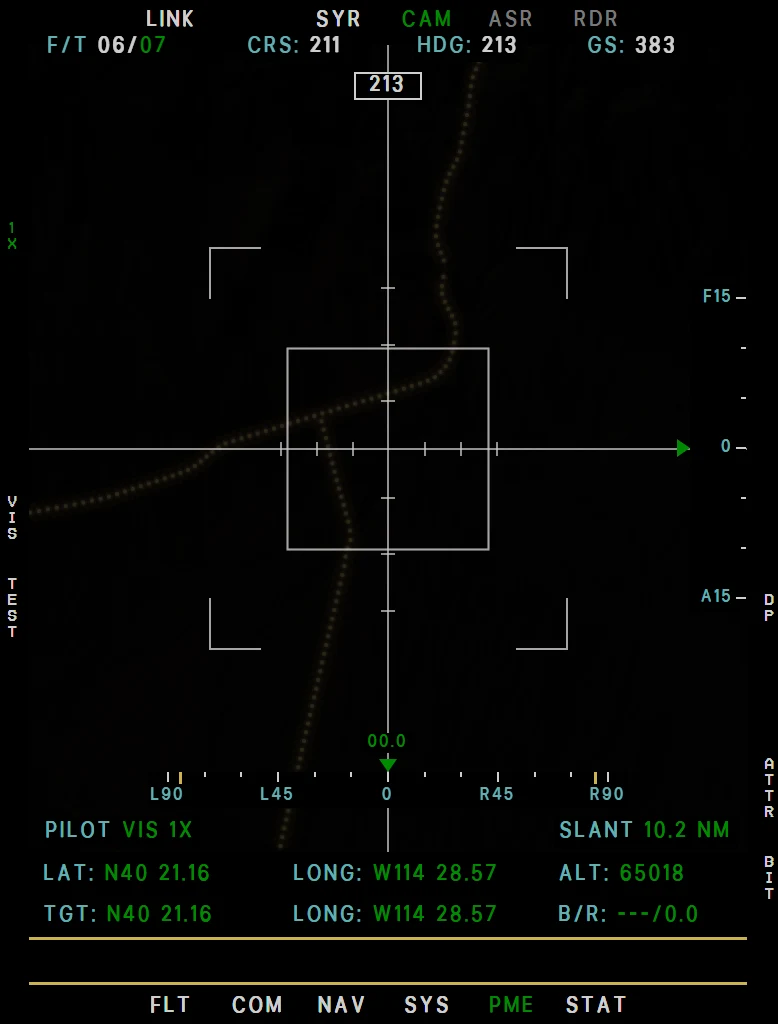
In the simulator. The CAM page is built from online satellite imagery, so it shows the real world under you and not the simulator's scenery or clouds. It darkens at dusk, and at night only real roads show, by their street lighting. Five bands are on L3:
| Band | Picture |
|---|---|
| VIS | Visible light, in color. |
| NIR | Near infrared, black and white. |
| SWIR | Short-wave infrared, black and white. Twice the magnification at the same zoom, with a coarser picture. |
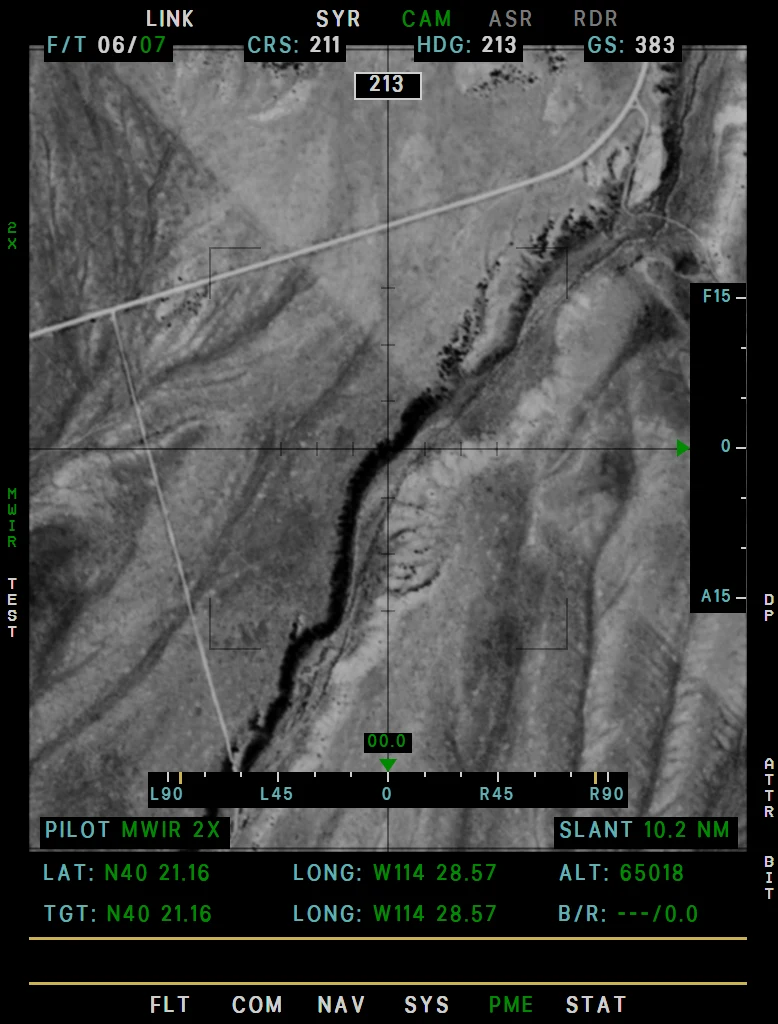
| MWIR | Mid-wave infrared, black and white. Twice the magnification, coarser, as SWIR. |
| MSI | Multispectral, in false color. |
| Item | In short |
|---|---|
| Fit | EFB Aircraft tab, Nose: SYERS-2A, 650 lb. |
| Start | MK IV MASTER ON, MODE STBY for the boot, then MODE 1-5. See Starting and Stopping the Camera. |
| Zoom | 0.5× to 73×, and 90× in SWIR and MWIR. Near the ground the distance to what you look at caps it. |
| Aiming | The viewsight hand control turns the camera 85° to either side and 15° fore and aft. Let go and the look keeps its angles as you fly; with L5 LOCK on the CAM page it stays on that spot of ground instead. |
| Nose | The nose rolls to the line of sight, against your bank, from 5,000 ft up. |
| Limits | No picture within 1,000 ft of the ground. Past 90° from the wings or 15° of pitch the page shows GIMBAL LIMIT. |
| Self-test | L4 TEST, about 19 seconds, once the boot is done. It works on the ground. |
Example CAM looking to the side
Example CAM MWIR
Example CAM at night
How to Operate
- On the EFB Aircraft tab, set Nose to SYERS-2A.
- Set MK IV MASTER ON. The CAM page reads SYERS-2A OFF MK IV MODE STBY TO START.
- Set MK IV MODE to STBY. The boot starts: 30 seconds, or 4 minutes on Realistic. C comes on for its second half. Then the page reads SYERS-2A STBY.
- On an MFD press B5 PME, then CAM. L4 TEST runs the 19-second self-test, also on the ground.
- Set MK IV MODE to 1 - 5 (all five are the same). The camera opens and looks straight down. There is no picture within 1,000 ft of the ground.
- Aim with the viewsight hand control: up to 85° to each side, 15° forward and aft. Zoom with the left rocker, select the band with L3. L5 LOCK holds the spot on the ground; R4 DP points the camera at a DP or a TP.
- MK IV MODE back to STBY closes the camera.
- To shut down, set MK IV MODE to OFF: C for 5 seconds, then D. The camera stays off until MK IV MASTER goes OFF and ON again.
Mark IV Panel
The SYERS-2A uses MK IV MASTER, MK IV MODE, the hand control and the lights. Every other control is for the OBC or has no function. The panel itself: Mark IV Camera Panel.
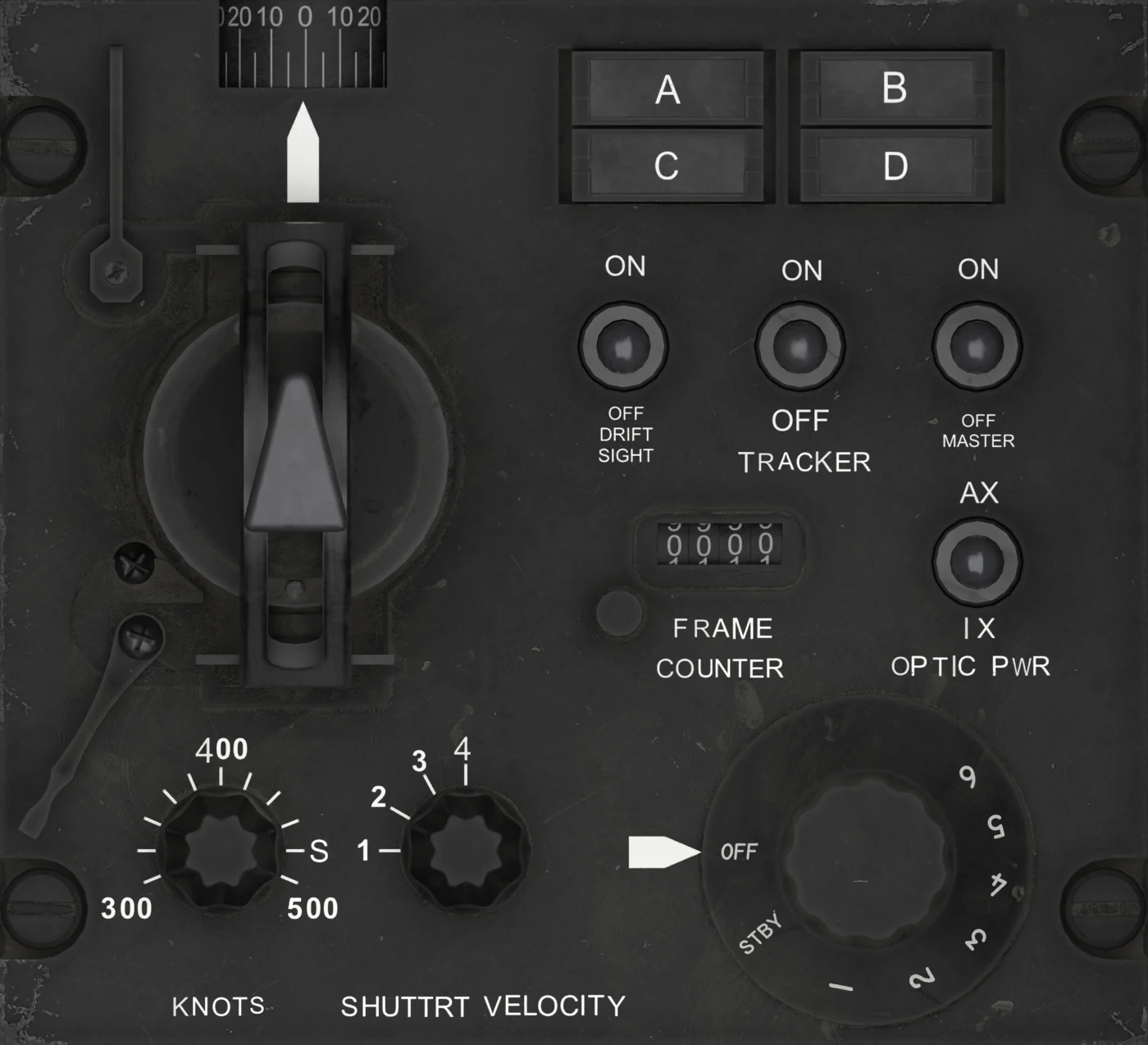
| No. | Control | With the SYERS-2A |
|---|---|---|
| 1 | OBLIQUE ANGLE INDICATOR | Closed: follows the hand control left and right (85° travel). Open: shows the camera's look to the side. |
| 2 | VIEWSIGHT HAND CONTROL | Aims the camera: sideways up to 85°, forward and aft up to 15°. Set condition lever points it straight down. |
| 3 | DRIFTSIGHT | No function |
| 4 | TRACKER | No function |
| 5 | MK IV MASTER | Powers the camera, its nose servo and nose heat. ON before MODE STBY. |
| 6 | FRAME COUNTER | No function |
| 7 | OPTIC PWR | No function |
| 8 | KNOTS | No function |
| 9 | SHUTTER VELOCITY | No function |
| 10 | MK IV MODE | STBY: starts the boot, then standby. 1 - 5: camera open. OFF after a start: shutdown. |
| 11 | A / B / C / D lights | A: nose servo fault (none simulated). C: second half of the boot, then about 3 minutes after MODE 1 - 5, and 5 s at shutdown. D: from 5 s after MODE OFF until 30 s after MASTER OFF. B: no function. |
Every key on the page is under CAM - SYERS-2A and OBC Camera.