 DOCUMENTATION
Optical Bar Camera (OBC)
The panoramic film camera in the Q-bay: what it is on the real aircraft, what it does in the simulator and where you operate it.
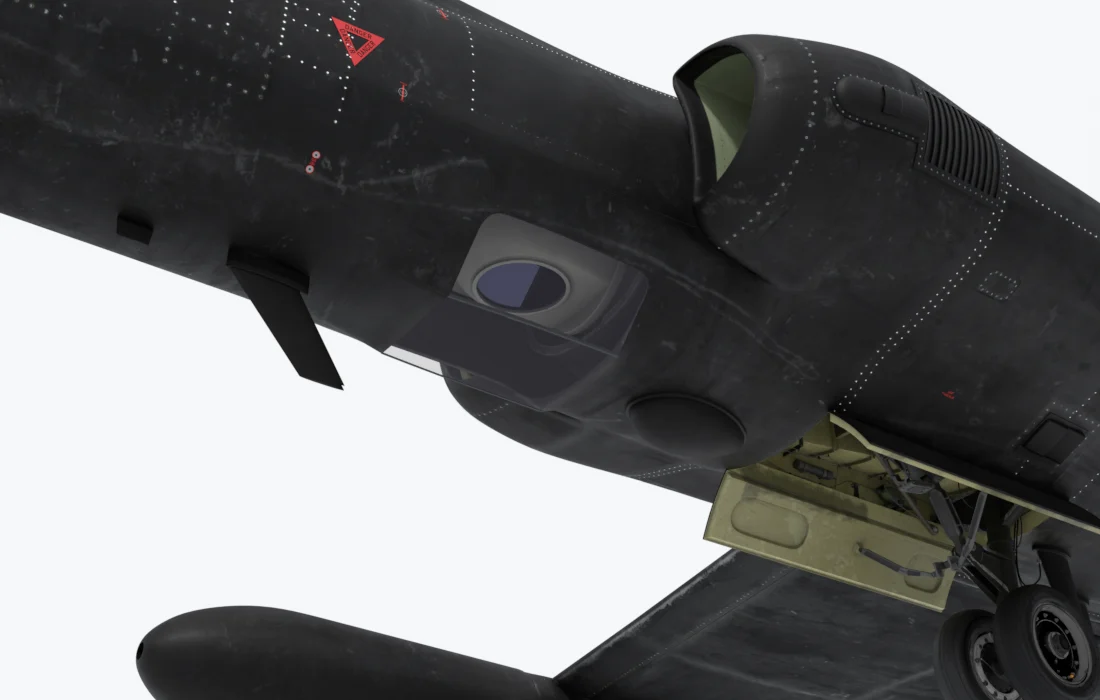
Under the fuselage
- Q-bay window - Shows with the OBC fitted. A door takes its place otherwise.
- Belly sensor 4 - A separate fit, not part of the camera.
On the real aircraft. The OBC is a panoramic film camera. A 30-inch lens on a rotating optical bar sweeps a strip of ground from horizon to horizon onto a roll of film 10,500 ft long, about 1,600 frames, one every 6.8 seconds or so. Nobody saw a picture until the film had been developed after landing. The U-2 flew its last OBC mission in 2022.
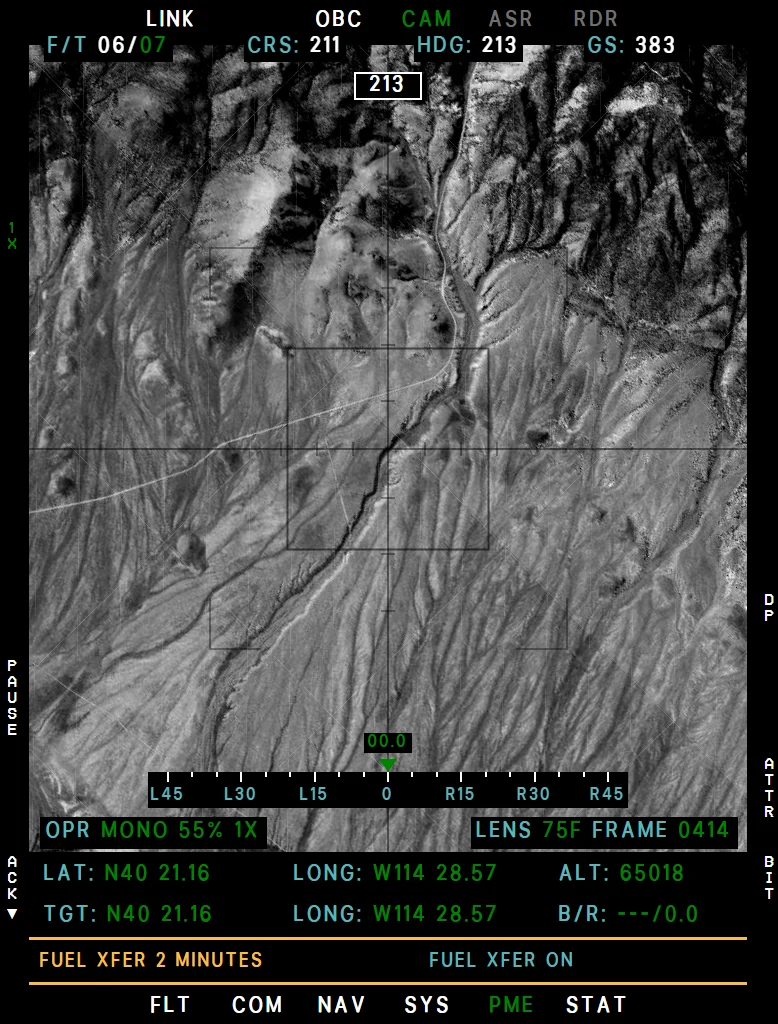
In the simulator. The film is a live feed, so you see what you shoot: a black-and-white picture with grain, built from the same satellite imagery as the SYERS-2A. It runs ten times faster than the real camera, so the 1,600 frames last a flight and not a whole day: 33 minutes on SHUTTER VELOCITY 1, 18 minutes on 2 - 4.
| Item | In short |
|---|---|
| Fit | EFB Aircraft tab, Q-bay: OBC camera, 1,050 lb. It flies with the Standard nose only. |
| Start | DRIFTSIGHT ON, MK IV MASTER ON for the boot, MODE OFF for the self-test (the C light is the go), then MODE 1-5 at or above 5,000 ft. See Starting and Stopping the Camera. |
| Exposure | MODE 1-5 is a slit width: 1 for a low sun, 5 for a high one. The wrong one shows in the picture. |
| Film | SHUTTER VELOCITY sets the frame rate and the coverage named on the page. FRAME counts the frames used, self-test included. At 1,600 the camera stays on its last picture and A lights steady. |
| Zoom | Up to 15×. |
| Aiming | The camera cannot move. The hand control looks left and right on the feed, up to 45°, and there is no ground lock or GIMBAL LIMIT. |
| Lens | Its heaters bring it to 75 °F in about 5 minutes, shown as LENS on the page. |
| From outside | The bar sits lens up when off and lens down in STBY, and spins while it photographs, one turn per frame. |
Example CAM page with the OBC
How to Operate
- On the EFB Aircraft tab, set Nose to Standard and Q-bay to OBC camera.
- Set DRIFTSIGHT ON. With it OFF the OBC stays in standby.
- Set MK IV MASTER ON. The boot starts by itself: 30 seconds, or 90 seconds on Realistic, with A flashing.
- Set MK IV MODE to OFF. After the boot the self-test runs: five frames. C comes on after the fourth frame: that is the go.
- On an MFD press B5 PME, then CAM (the page reads OBC).
- Set SHUTTER VELOCITY: 1 gives a frame every 1.2 s (about 33 minutes of film), 2 - 4 a frame every 0.7 s (about 18 minutes).
- At or above 5,000 ft, set MK IV MODE to the slit for the sun: 1 for a sun about 12° up, 2 for 16°, 3 for 24°, 4 for 35°, 5 for 53° or higher. The OBC photographs. Below 5,000 ft it waits and starts by itself as you climb.
- The hand control looks left and right on the feed, up to 45°. L5 PAUSE holds the picture; the film keeps running.
- To stop, set MK IV MODE to STBY. At 1,600 frames the film is out and A comes on steady.
Mark IV Panel
The OBC uses most of the panel. TRACKER, OPTIC PWR and KNOTS have no function. The panel itself: Mark IV Camera Panel.
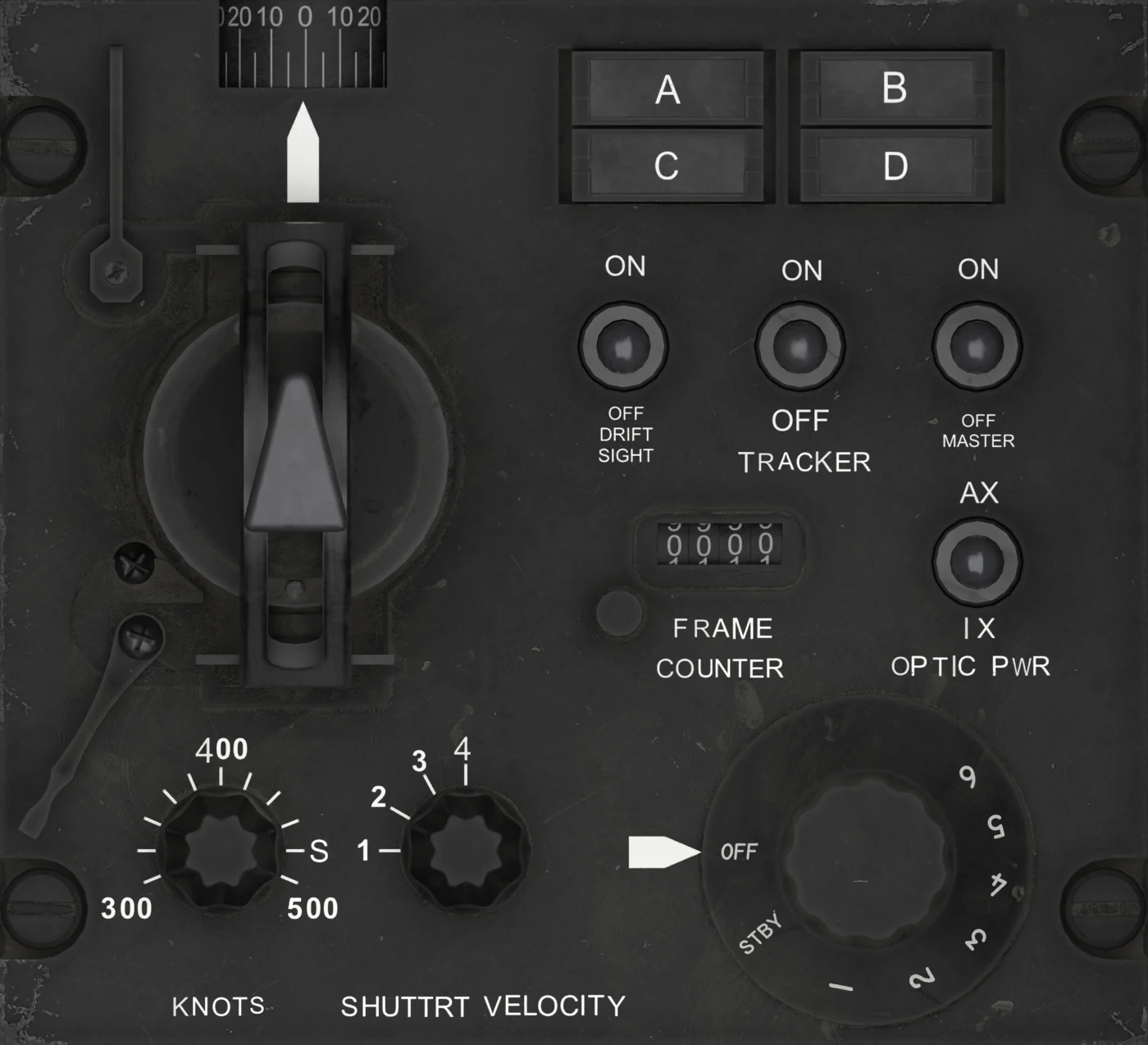
| No. | Control | With the OBC |
|---|---|---|
| 1 | OBLIQUE ANGLE INDICATOR | Follows the hand control left and right (45° travel). |
| 2 | VIEWSIGHT HAND CONTROL | Looks left and right on the feed, up to 45°. Forward and aft has no effect: the camera cannot move. |
| 3 | DRIFTSIGHT | ON / OFF. Must be ON: it powers the MODE and SHUTTER VELOCITY inputs. |
| 4 | TRACKER | No function |
| 5 | MK IV MASTER | Powers the camera, its air compressors and lens heaters. ON starts the boot. |
| 6 | FRAME COUNTER | Counts the frames, self-test included, to 9999. The round button sets it to 0000; the film used is FRAME on the CAM page. |
| 7 | OPTIC PWR | No function |
| 8 | KNOTS | No function |
| 9 | SHUTTER VELOCITY | 1: a frame every 1.2 s. 2 - 4: a frame every 0.7 s. |
| 10 | MK IV MODE | OFF: self-test. STBY: standby. 1 - 5: photographs, each with its own slit width. |
| 11 | A / B / C / D lights | A: flashes during the boot, steady when the film is out. C: self-test go; flashes in 1 - 5 without INS data. B, D: no function. |
The page is under CAM - SYERS-2A and OBC Camera.